Can I point the monitor at my ISP's IP? Upload and download look swapped
2 posts
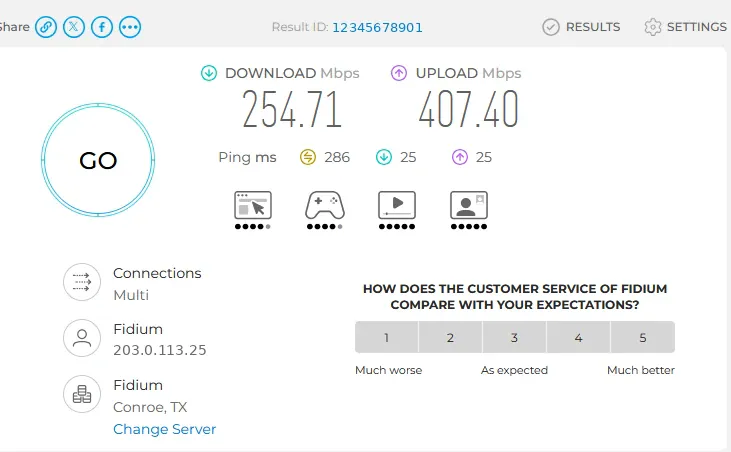
Why can't I point the monitor to the IP of my ISP? My primary focus is I want to track my internet service and availability. I can't tell where it is even pointing to? Trial version, if it works I'll buy. I have a 1Gbps synchronous connection utilizing VPN. Lastly, why aren't upload/download numbers matching with speedchecker which is pointed to the ISP's IP address? It's like upload and download are swapped.
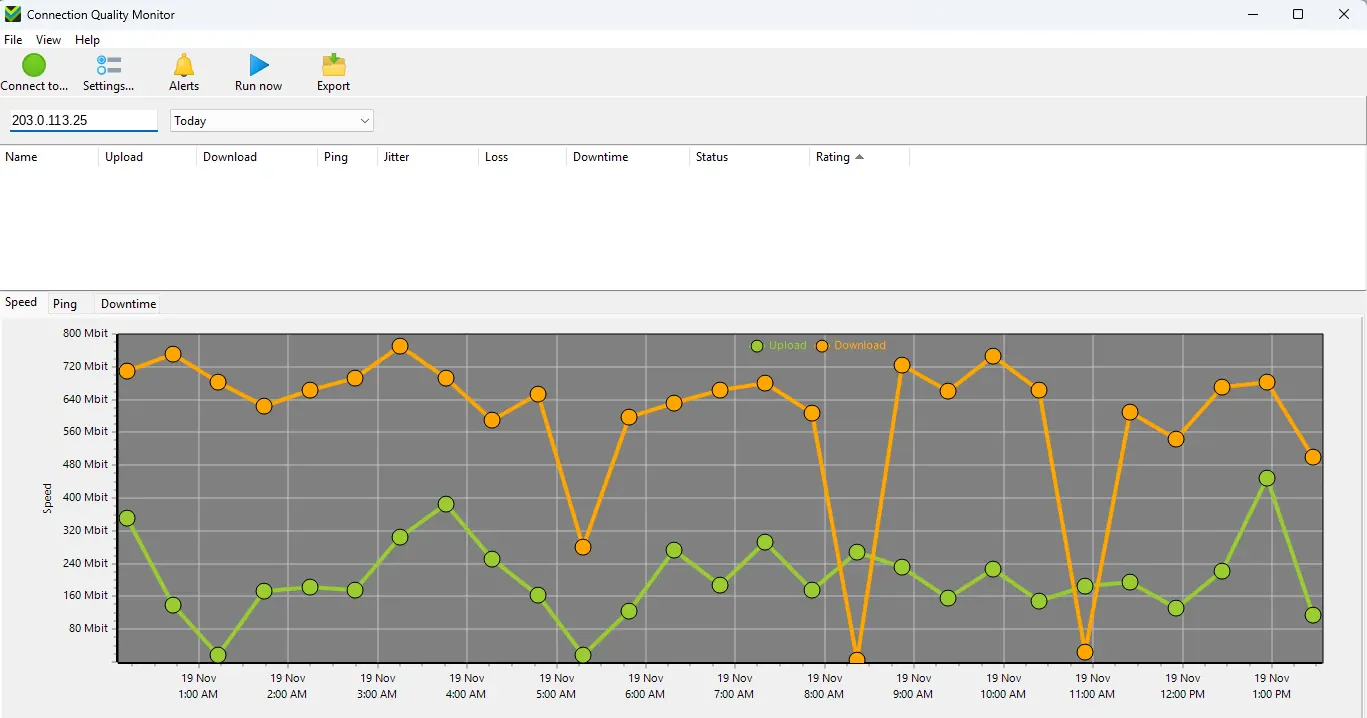
There's no need to point the program anywhere. It already tests your Internet connection on its own: it constantly checks that the Internet is reachable, and at regular intervals it runs a speed test against Cloudflare's servers. The chart you sent is that data, and it is working fine.
The box where you typed the IP address is only a search box for the list of monitored computers above the chart. Clear it and your computer will show up in the list again.
The address the speed test page shows under your provider's name is not your provider's server. It is your own Internet address.
Upload and download are not swapped. The chart shows your download (orange) at around 600 to 750 Mbit and your upload (green) at around 100 to 400 Mbit over the day. A speed test website gives you one quick reading to one server, and with a VPN in the way, readings vary a lot from one test to the next. What the program gives you is the pattern over hours and days, and any drops or outages along the way, which is what you need to hold your provider to their service.
If you are only watching one connection, NetWorx might be simpler for you. It sits next to the clock as a small icon, with no separate service to connect to. Right-click the icon and you will find Speed Test, which can also run on a schedule, and Connection Monitor, which records your ping times and any downtime.