Why the upload/download chart doesn't match online speed tests
2 posts
I want to point the monitor to the IP of my ISP. My primary focus is to track my internet service and availability, but I can't see where it is pointing to. I am using a trial version, if it works I'll buy. I have a 1Gbps synchronous connection utilizing VPN.
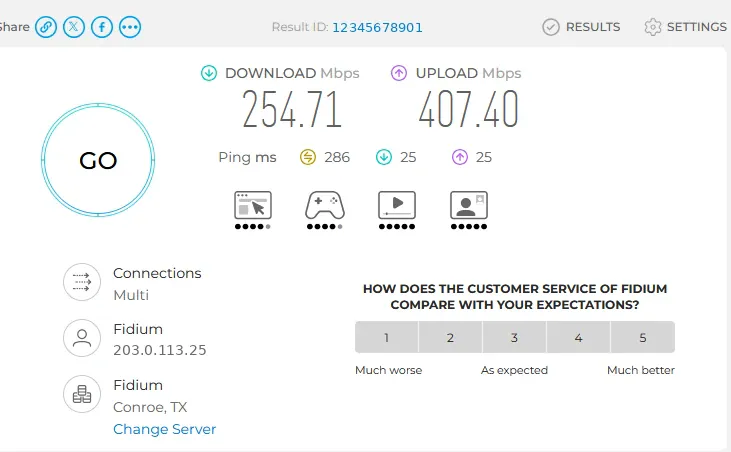
Also, my upload/download numbers aren't matching with speed-checker that is pointed to the ISP's IP address. It's like upload and download are swapped.
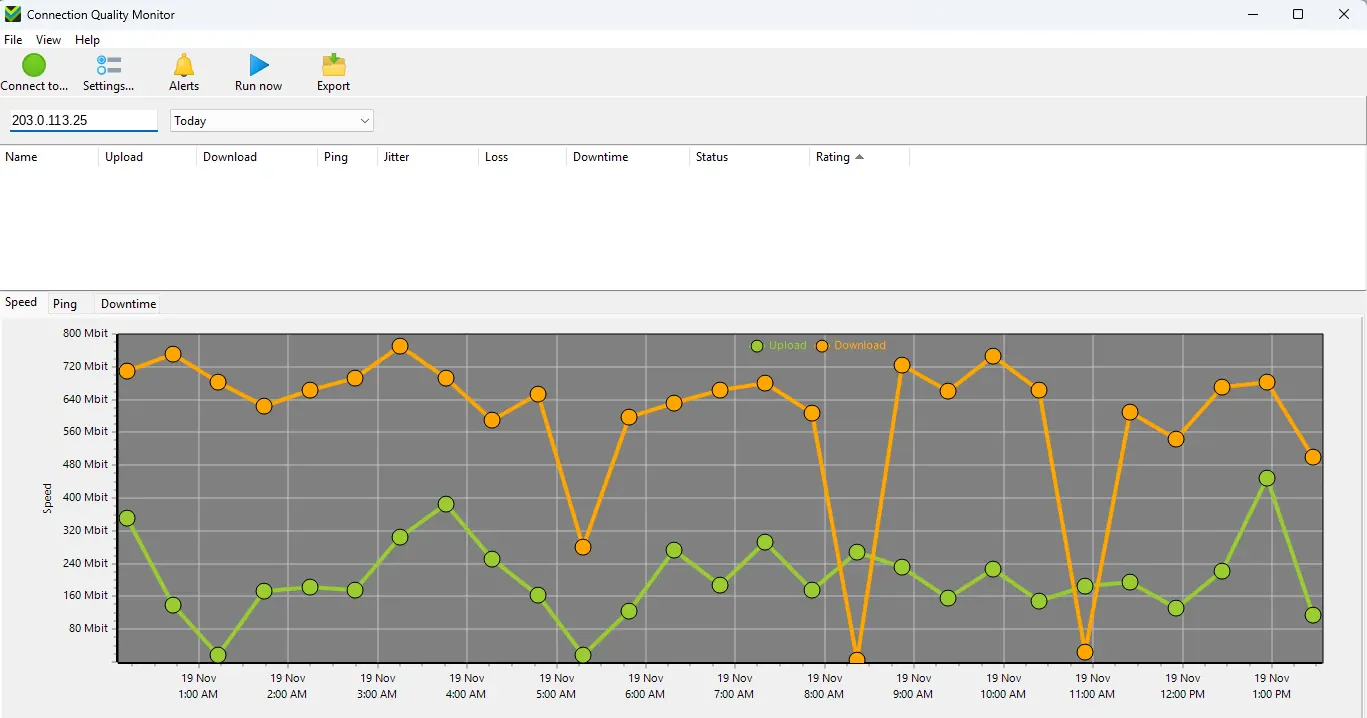
There's no need to point the Connection Quality Monitor anywhere. It already tests your Internet connection on its own: it constantly checks that the Internet is reachable, and at regular intervals it runs a speed test against Cloudflare servers. The chart you attached is that data, and it is working fine.
The box where you typed the IP address is only a search box for the list of monitored computers above the chart. Clear it - and your computer will show up in the list again.
The address the speed test page shows under your provider's name is not your provider's server. It is your own Internet address.
Your upload and download are not swapped. The chart shows your download (orange) at around 600 to 750 Mbit and your upload (green) at around 100 to 400 Mbit over the day. A speed test website gives you one quick reading to one server, and with a VPN in the way, those readings can vary a lot from one test to the next. What this program gives you is the pattern over hours and days, and any drops or outages along the way, which is what you need to hold your provider to their service.
If you are monitoring only one connection, our NetWorx app might be a better choice for you. It sits in the corner of the screen as a small icon, with no separate service to connect to. Right-clicking the icon will give you Speed Test, which can also run on a schedule, and Connection Monitor, which records your ping times and any downtime.