Reverting TEMP and TMP folders to default location
2 posts · Closed
User Guest
Some time ago I moved my Windows 10 TEMP and TMP folders from the hard disk (C:) to my RAM disk (Z:).
Now I'm wondering... if in the future I want to uninstall RAM Disk or simply revert back to the default system location for my temporary folders, how should I do it?
Ann SoftPerfect
If you still have the RAM Disk application installed and operational, you can the TMP and TEMP variables to their default values via menu Tools:
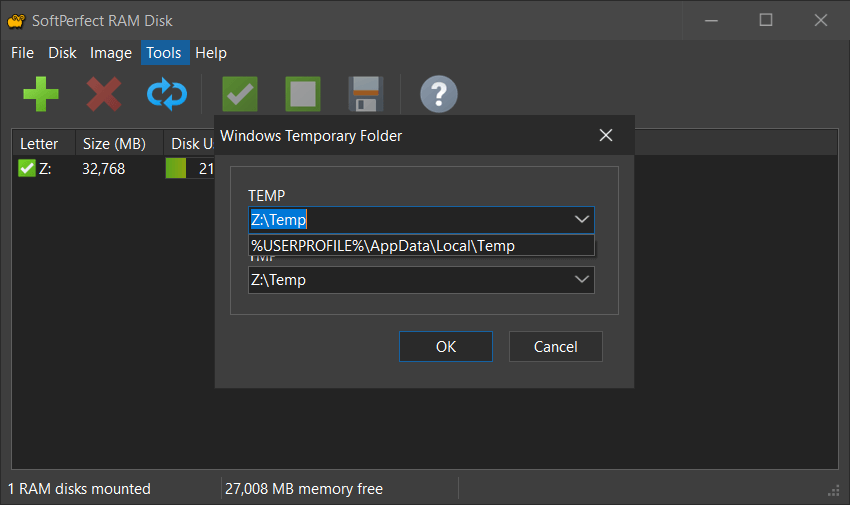
If you no longer have RAM Disk:
- press Win+R (Run)
- type sysdm.cpl and launch it
- go to Advanced tab, then Environment Variables...
- in the User variables section select TEMP, press Edit... and set it to %USERPROFILE%\AppData\Local\Temp
- repeat the same edit for TMP
This topic is closed.
It has had no new posts for over a year, so the software versions it talks about may be out of date.
Start a new topic in RAM Disk if you have a similar question.