Add Vivaldi browser support
4 posts · Closed
Hi guys!
I really like your Cache Relocator, it really makes managing app's cache a lot easier. Can you please add Vivaldi browser support? I stumble on it quite often.
Cheers!
Peter
Thank you, we are delighted to hear that our Cache Relocator tool has been helpful to you.
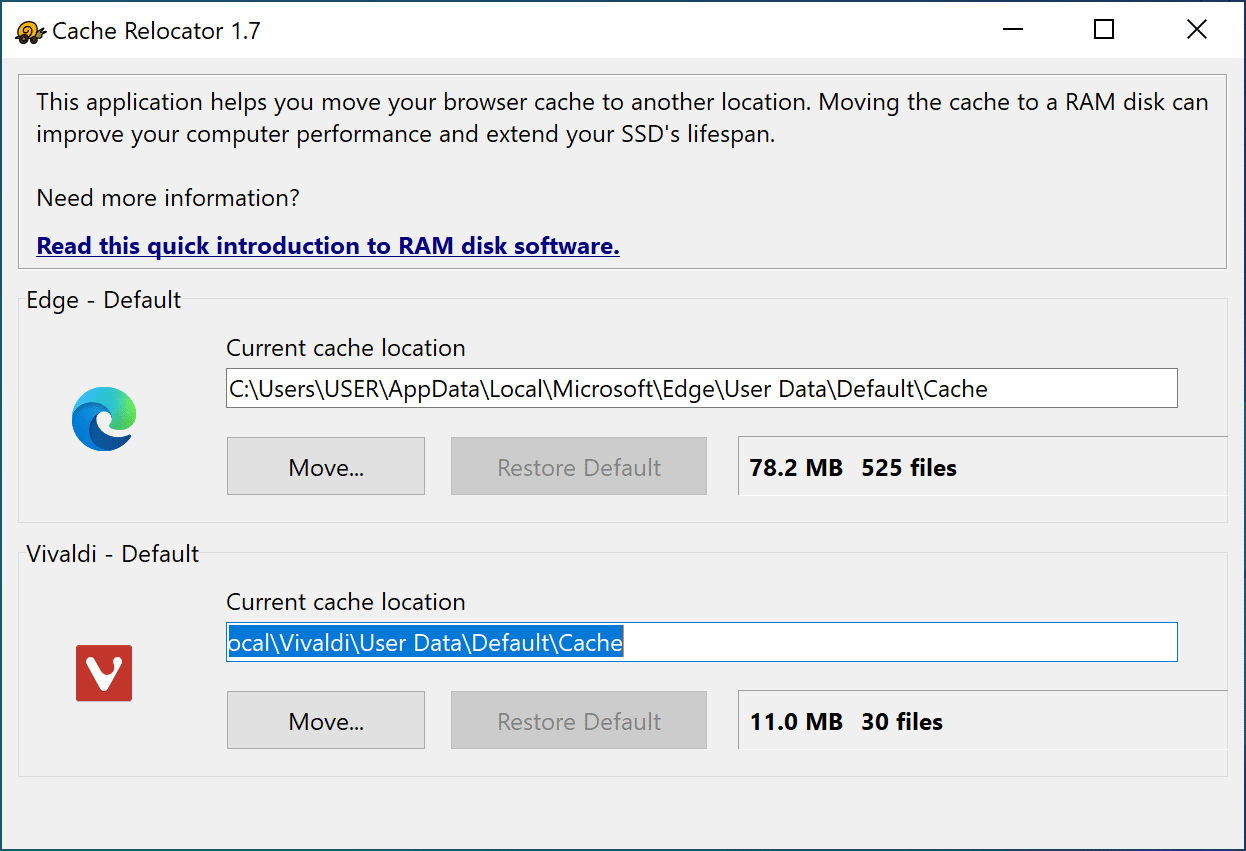
Regarding Vivaldi browser, it has been supported since version 1.1 of Cache Relocator. It should appear in the main window, in the list of supported browsers:
That's very nice to hear!
But it can't see Vivaldi on my computer. May it be because my Vivaldi was installed as a standalone/portable program?
Yes, if you are using a portable (standalone) version of Vivaldi, the Cache Relocator will not be able to see it. Portable applications keep their files, including cache, in their own folders, which can be anywhere the user wished. Cache Relocator respects user privacy: it doesn't go through all user files and looks only in the standard system location. If your Vivaldi isn't there, it won't appear in the list.
To redirect the disk cache in a portable Vivaldi browser to another location, such as a RAM disk, you can use one of the following methods.
Method A - via symbolic link
- Navigate to the Vivaldi installation folder, typically found at <Vivaldi Folder>\User Data\Default.
- Replace the Cache directory with a symbolic link pointing to your desired location (a RAM disk).
To create a symbolic link, open Command Prompt as an administrator and use the following command, while replacing the paths with the appropriate paths for your setup:
mklink /D C:\path\to\Vivaldi\Cache R:\path\to\RAMdisk\or\desired\location
Method B - via modifying Vivaldi shortcut that you use to launch the browser
- Right-click on Vivaldi shortcut and select "Properties".
- In the "Target" field, append the command line switch --disk-cache-dir=R:\some-location after vivaldi.exe.
Example:
C:\path\to\Vivaldi\vivaldi.exe --disk-cache-dir=R:\desired-cache-location
Don't forget to replace the paths with the relevant paths in your system.