Drive stays mounted but loses drive letter
12 posts · Closed
Sometimes, about 2 or 3 times a week, I notice the 8Gb drive is still mounted but with no drive letter. I must unmount and remount the drive to continue working. I am glad it autosaves every hour, so at the most I only lose 59 minutes of work.
I have my Windows temp files on it and my Google Chrome profiles on there too. Sometimes when I unmount and remount I get a BSOD and sometimes not.
What would make it do this? Is there a log file I can reference?
Win 10 up to date, I9, 32Gb ram, 4 HD's etc.
Thank you
It is highly unusual for a drive letter to disappear. We use our own RAM Disk application all the time, and have never experienced this issue.
To clarify further, when you say the drive is still mounted but without a drive letter, do you mean that the drive appears in Disk Management or File Explorer without a drive letter assigned to it? If possible, could you provide a screenshot or more details on how it looks in such situations?
I took a "before" screenshot. As soon as it does it again I will post the "after".
Thank You
This morning this is the screen.
It still shows a Z drive but it does not show up in file manager and is not there in command prompt.
I will have to reboot to correct.
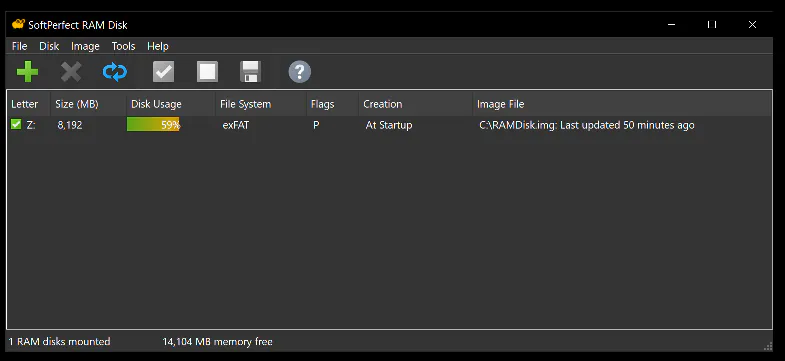
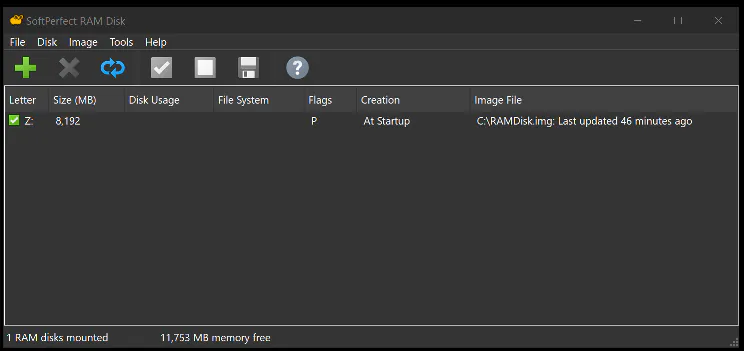
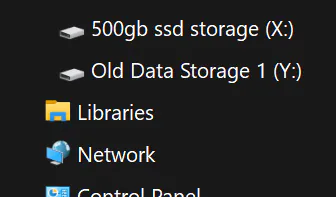
Indeed that looks odd. Since mentioned this morning, do you place your computer to sleep or hibernation?
Perhaps this issue occurs after waking the computer up? If so, I would recommend executing this command in an admin command prompt and rebooting:
powercfg /h off
This will effectively disable hibernation and so called 'hybrid boot' that are known to cause system issues to some users. This will also reduce the amount of data written to your SSD and extend its lifespan.
I executed the command.
I do not let it hibernate or sleep as I run a distributed computing app 24/7 on the ram drive.
BOINC app World Community Grid searching for childhood cancer cures.
I re-booted and I will post if it happens again.
Thank You!
Again today.... Was working fine at lunchtime.
Checked at 7:24 pm and this again.
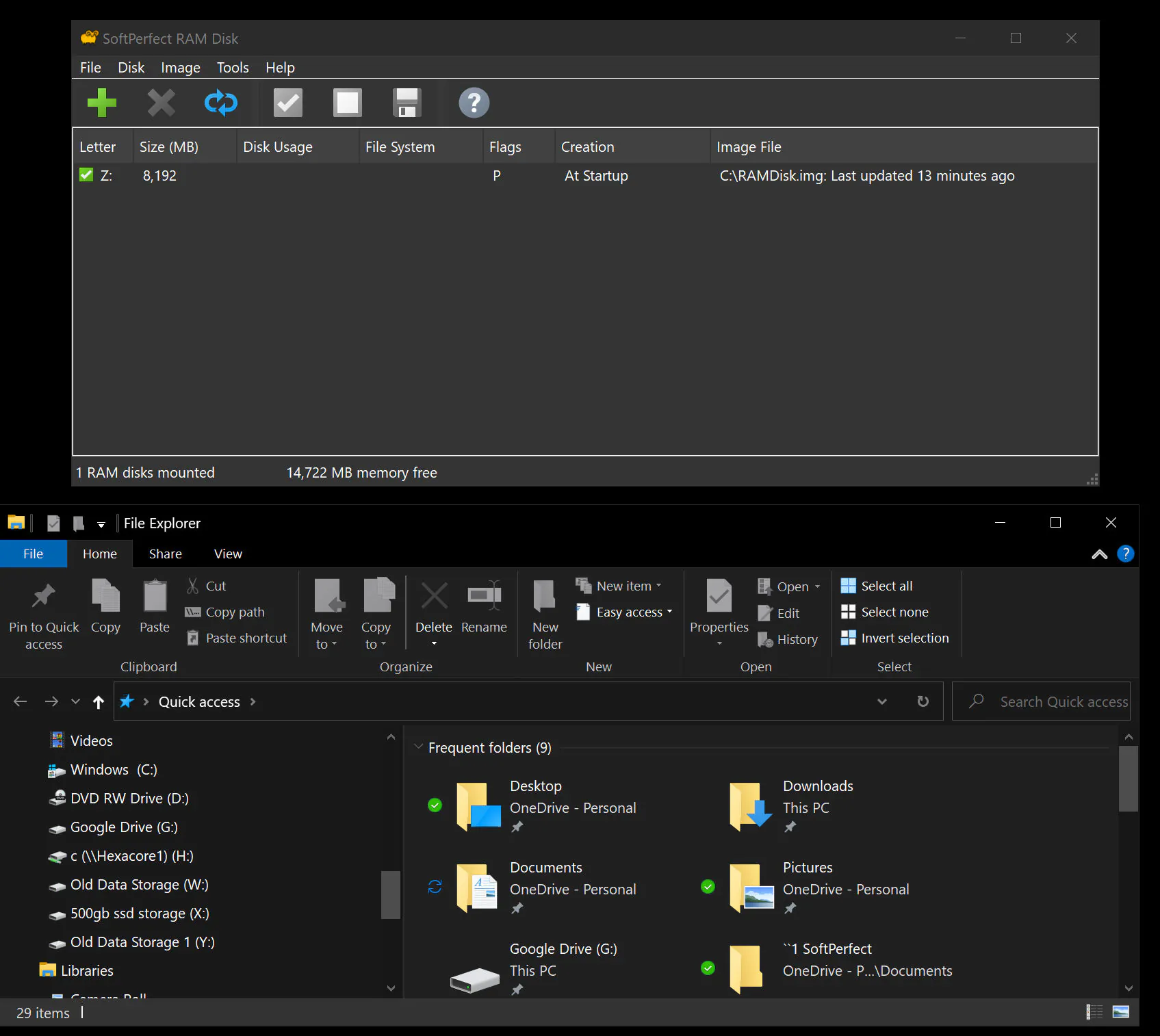
Looks like it's something unrelated to hibernation then.
Unfortunately in our extensive tests, we never encountered an issue where the RAM Disk app lost its disk letter. Given that this occurrence seems to be random on your system and did not manifest during our tests, it would be exceptionally challenging for us to debug or reproduce the issue.
We understand how crucial reliability is for our users, and while we strive to provide the best possible experience, sometimes unforeseen issues can arise on specific systems.
Given the circumstances, we would like to offer you a full refund for the purchase. Please let us know if you'd like to proceed with this, or if there's any other way we can assist you further.
I will continue to use your product as it is backing up every hour. I will set it to 15 min and live with it. If, however, you run into this issue in the future and acquire a solution please let me know. ;-)
If I figure it out I will post the solution as well.
Thank you!
Curtis Walter
Thank you too. If you figure it out, or at least notice some correlation between this issue and something else, please do let us know. It might be very helpful in finding the solution.
I am not sure why but the issue has not recurred in several months now.
Thanks for a great product!
Curtis Walter
That's wonderful to hear. Hopefully it keeps working for you so well.
In the meantime, we have not encountered this issue in our own tests, and have not received any reports from other users about it.