RAMDisk not working on Windows 11 23H2
4 posts · Closed
On the 23H2 release of Windows 11, RAMDisk is not working:
- No RAM disks will save (error states that it cannot save due to another process accessing it).
- Trying to unmount the RAM disk causes the entire system to freeze (no Task Manager, no Win+X, nothing). It requires holding the power button down for 10+ seconds.
- Accessing the actual RAM disk in Explorer causes a BSOD.
So far I have tried creating new RAM disks from scratch and they still cause all the problems above.
This is a clean install of 23H2. Latest release of RAMDisk.
Thanks
SOLVED: I was able to solve this issue by completely disabling Windows Defender.
It must then have been a Windows Defender quirk. Thank you for posting the solution. I can confirm that it works here as well, even with the default settings, which I believe have Windows Defender enabled.
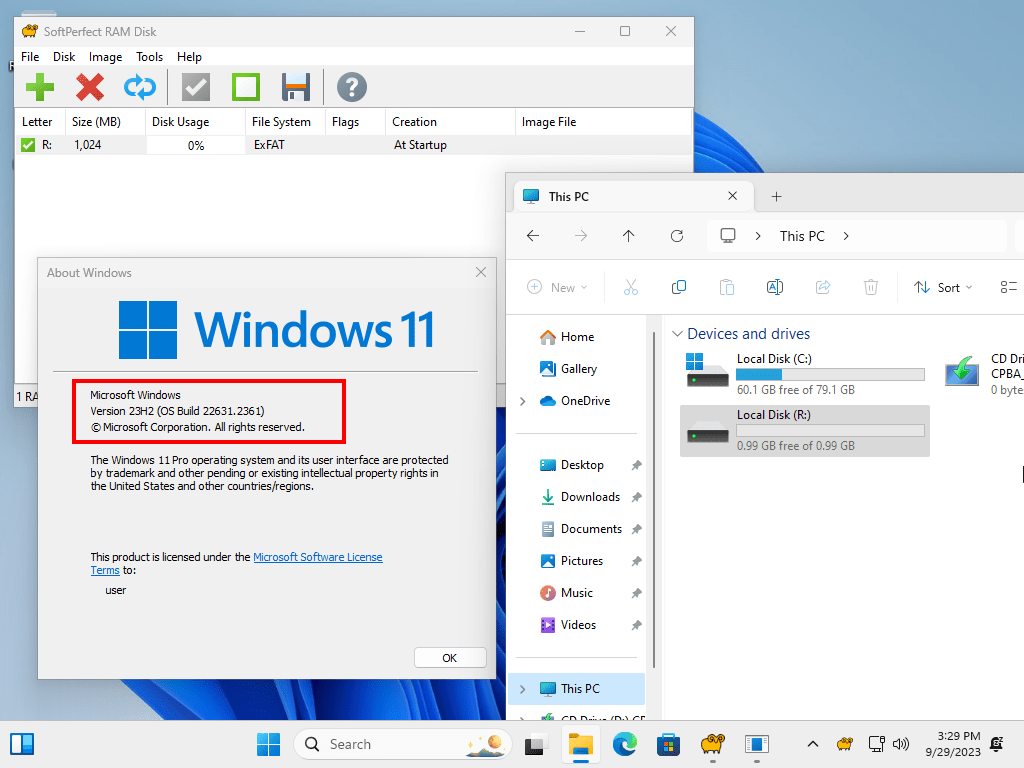
You're welcome. I assume that this was very likely a rare glitch with Defender.
I will add a bit more details below in case it ever shows up again:
- just finished clean install of 23H2
- installed all drivers
- rebooted several times as per typical clean install of Windows
- installed RAMDisk first (no other 3rd party programs installed yet)
- added a previously working RAMDisk image
- error when saving, full system freeze when unmounting
- rebooted, still experienced issues
- tested by creating a couple of brand new RAMDisk images
- rebooted in between each attempt, still experienced issues
- rebooted
- disabled Windows Defender permanently
- issues all gone
I always reboot in between various testing scenarios just to ensure that I am working with a fresh boot of Windows.
My assumption here is that it was an extremely rare glitch. Likely having something to do with the system being so freshly installed still that not everything had a chance to really settle yet.
Everything is working great now though on 23H2.
Cheers!