Automatic mounting and image write-back workflow
3 posts · Closed
Use case:
- Automatically mount a RAM disk at system startup.
- Write the Microsoft Flight Simulator's cache files to that RAM drive.
- Copy the contents of the RAM disk to a persistent image file on shutdown.
- Write the contents of the image file back to the RAM disk at system startup.
I used to use ImDisk, but the lack of HDD emulation, as well as the complicated way of setting up and ensuring write-back to a persistent file, led me to abandon it and purchase SoftPerfect RAM Disk.
With ImDisk, I used to have an R: drive (RAM disk) and an S: drive (where a duplicate of the cache folder you see in my screenshot was kept).
I don't see that second drive after my SoftPerfect RAM Disk installation. I assume that's because my R: drive contents are being written back to the image file I created without needing to have that image file mounted independently. Is that true? I get an error if I try to mount the image file, but that's hopefully because I don't need to.
Please take a look at the attached file, and let me know whether everything looks correct for my use case.
Thanks
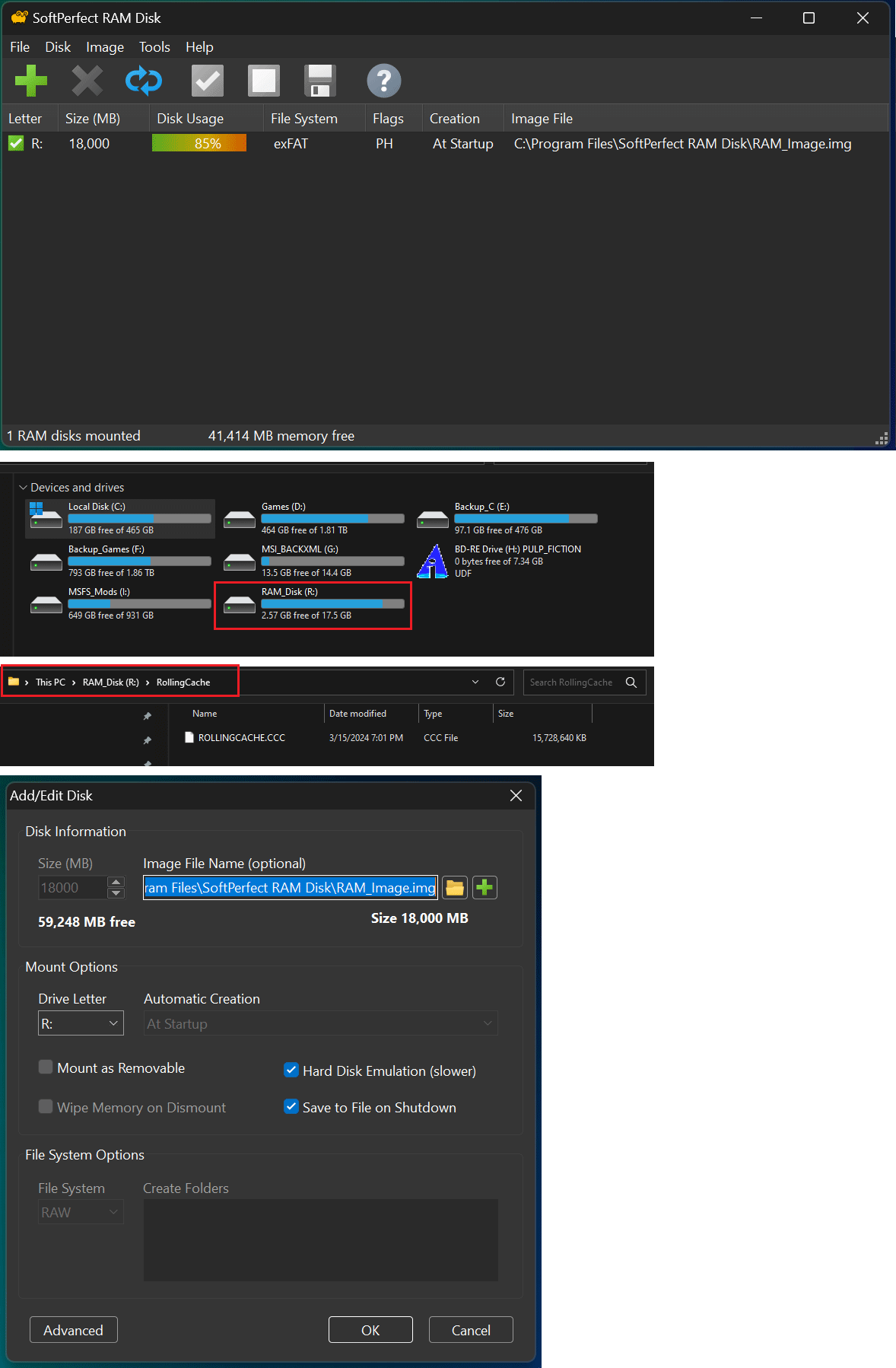
Everything appears correct to me. What you have created is a persistent RAM disk, the contents of which are read from the IMG file on startup, and any modifications made are written back to the file upon shutdown. This can be utilized for various purposes, including as a cache for MS Flight Simulator.
There is no need to mount the image file separately; this is only necessary if you wish to access it directly while it is not linked to a RAM disk.
Thanks so much.