Automating via command line or COM
6 posts · Closed
I want to try with my own program that automates jpegtran, a command line utility that can optimise jpeg images without any quality loss whatsoever. It creates an output file which now should go to the R disk. My program simply reads this file and overwrites the input file.
So here's my question. I wonder what programs can be automated using the command line or COM. Some of your products could benefit from this, both for setting and getting things. At least one works from the command line, but maybe it gives too much such that you have to parse the output.
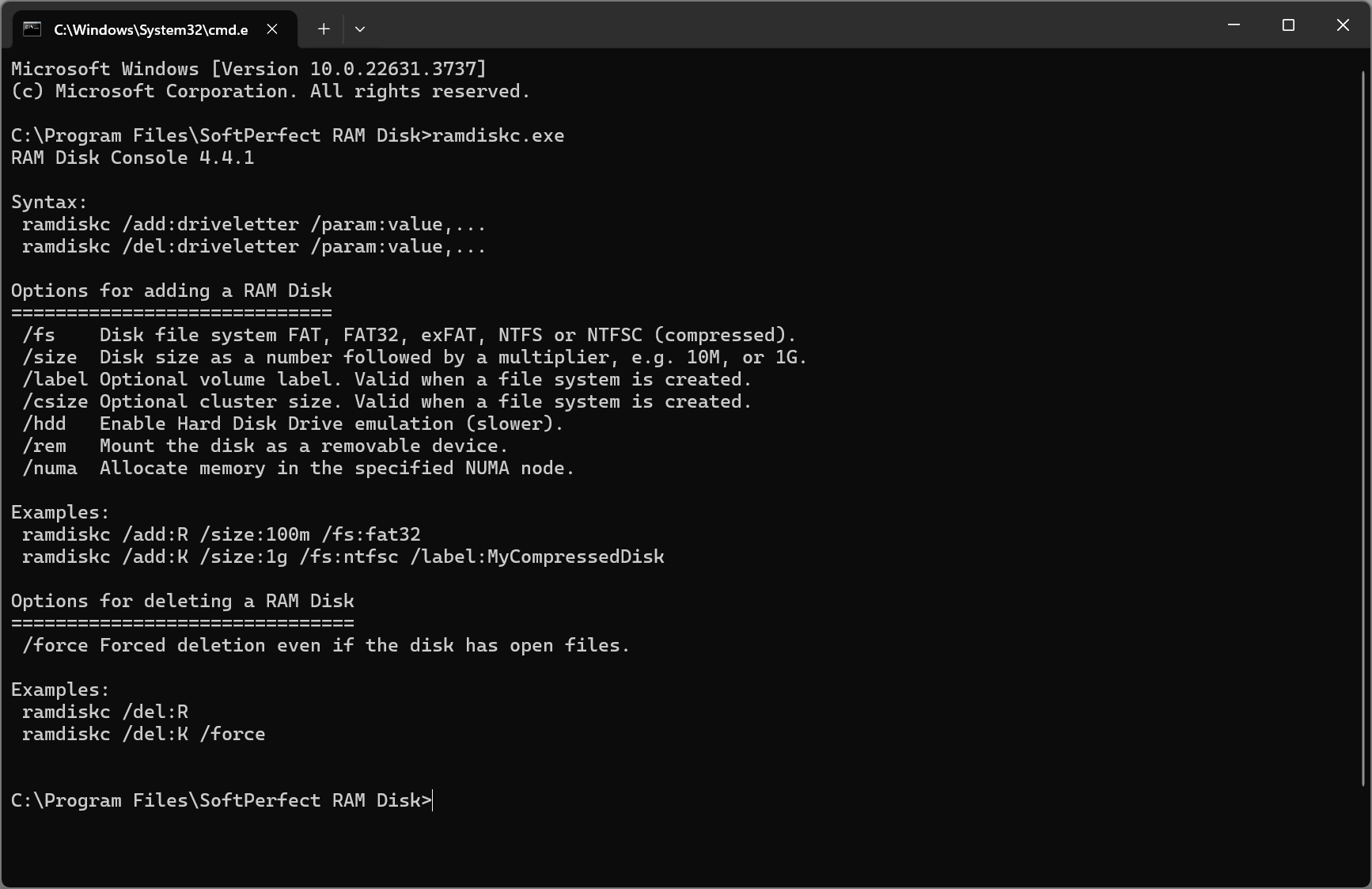
Some of our products support a command-line interface or have a command-line version.
In particular, for the RAM Disk app, simply launch ramdiskc.exe from the application folder:
Thank you. I just bought a license and my computer is now booting so I haven't had time to install it yet. I think it would be nice if you could get some of the readings as well. Not sure, maybe you should ask your users if this would be something they want.
Hello.
I want to automate the process of turning on the computer via CLI, to launch programs using RAMdisk only after the disk mount has reached 100%. Since the disk image takes up 300 GB, this process is long and setting a timer to launch the application is a bad option.
Question: If I start mounting the disk not in automatic mode (autostart), but through CLI, is there a response about the successful completion of the operation?
As far as I recall, with large disk images there's a possibility that the command may complete before the disk is fully accessible. If you're using a batch file, here's an example script you can use to wait until the drive becomes available. The idea is to execute this batch file at startup - it will wait for the specified drive letter to become accessible, and only then proceed to launch any dependent applications.
@ECHO OFF
SET WaitTimeMinutes=60

:CHECK

TIMEOUT 60
SET /A WaitTimeMinutes-=1
IF %WaitTimeMinutes%==0 GOTO NOTFOUND
IF NOT EXIST R:\ GOTO CHECK

:FOUND
ECHO Drive was found
NET START SERVER
EXIT

:NOTFOUND
ECHO Drive was not found in time
Thank you.