Suggestion: Creating folders and drives with access permissions
5 posts
Hello.
Please add the ability to specify an account and the appropriate access permissions for it when automatically creating folders on a RAM drive, with separate permissions for each folder and for the entire drive at once. Provide a choice of several preset permission sets for the "Users" and "Everyone" accounts, with 5 general permission sets (as in security settings): Full Control, Modify, Read & Write, Read, Write.
If that's too difficult, could you at least add a full-access option for these two accounts? Or at least for the "All" account? Of course, it would be more versatile to choose from a range of options.
By default, the drive does not have full permissions for "Users", and software issues related to folder access occasionally arise. To work around this, we need to write automation scripts to configure these folders.
Thank you for the suggestion. A per-folder permissions editor with preset ACL sets is something we may consider for the future, but there's no need to write scripts to achieve this right now - RAM Disk already supports predefined folders and custom NTFS permissions through an image-based disk:
- Create an image via Image – Create Image.
- Mount it via Image – Mount Image, then copy your folders onto it and set the permissions exactly as you want (full control for Users, or any combination) on the whole drive or individual folders.
- Dismount it via Image – Unmount Image.
- Create a new RAM disk based on that image file, leaving Save Contents to Image unticked.
The structure and permissions are baked into the image and applied automatically on every mount. Runtime changes are discarded on unmount, so the disk always comes up in your defined state - no workaround scripts needed. This is also more flexible than fixed presets, since you can set arbitrary permissions per folder.
I'll note your request for a built-in permissions editor for our future planning. Let me know if you run into any issues.
Thank you.
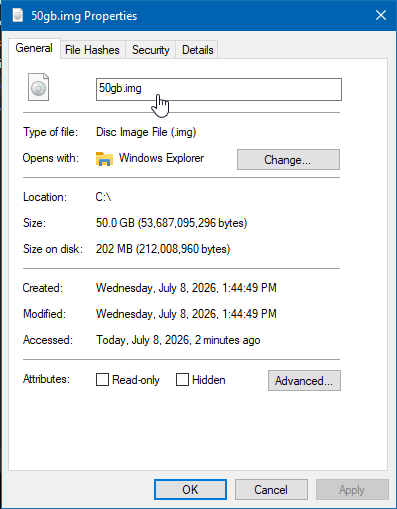
This approach will work, but it's often needed specifically for a large temporary RAM disk (over 50 GB).
That should work fine. Image files are sparse, so even a 50 GB image will only use a few MB of disk space for its metadata structures.