Set Windows 10 paging file to RAM disk only
4 posts · Closed
Is it possible to set Windows 10 paging file to RAM disk (only)? I tried, but after reboot the system reports a warning and automatically creates it on disk C.
Storing page files on a RAM disk isn't officially supported, and it is generally a bad idea. If you have enough RAM, simply turn the page file off - it is not needed.
As you may know, the point of the page file is to swap out memory pages from RAM to a file on the disk when more memory is required. In other words, a page file can be seen as a RAM extension. By placing a page file back into memory (on a RAM disk), you would attempt to extend the resource using the resource itself. Therefore there is no benefit in doing so, only added complications. A more detailed explanation can be found in this article: Why it is not recommended to store the page file on a RAM disk.
But can it still be done? Can you add a support for my use case?
I have a situation where a program for some reason really wants to use the pagefile on a system where I have plenty of RAM but limited disk space. So I would like to create a pagefile on a RAM disk as a dummy pagefile to force this program into using RAM instead of reporting insufficient memory when I have heaps of it.
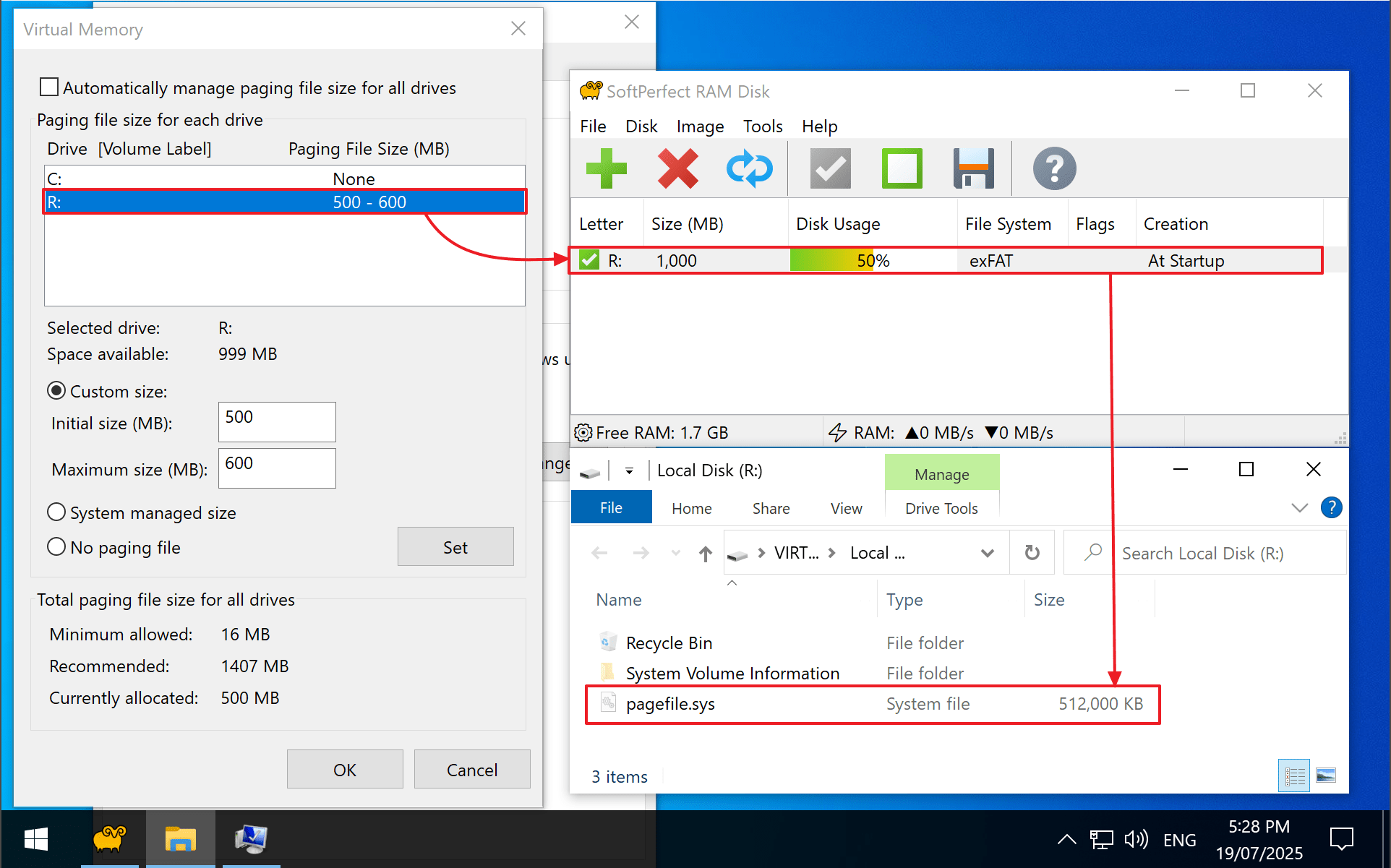
Yes, it can be done. We don't recommend it, bit it does work and survives reboots. We tested it by:
- Creating a RAM disk (e.g. 4 GB, exFAT, drive R:).
- Setting a custom pagefile on it via System Properties > Performance > Virtual memory.
- Disabling pagefiles on other drives.
After reboot, Windows used the RAM disk as the pagefile. It's not true paging, but it satisfies the apps that require a pagefile.