UDF 2.50 format results in RAW file system
4 posts · Closed
Hi SoftPerfect,
Running this cmd line:
format T: /fs:UDF /r:2.50 /v:RAMTEST2d50
Getting these results:
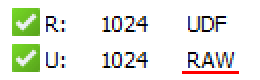
For UDF 2.01
Disk Letter: R:
Size (MB): 1024
File System: UDF
For UDF 2.50
Disk Letter: U:
Size (MB): 1024
File System: RAW (!)
I am using Windows 8. Is there some sort of UDF filesystem detection bug?
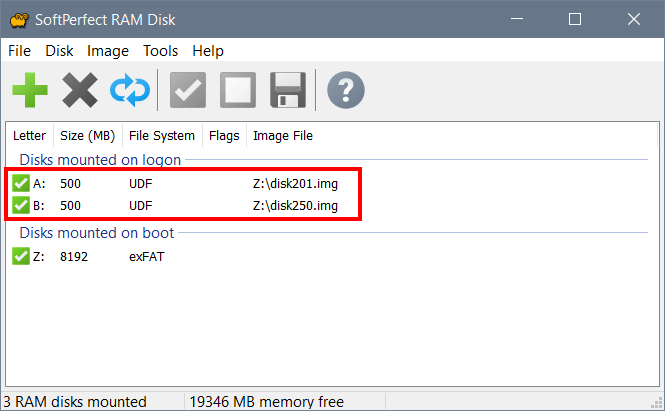
It looks like Windows 8 API used by RAM Disk is not familiar with UDF 2.50. We have just tested it on Windows 8 and got the same results as yours. However on Windows 10 it works as expected, see below.
You can either just disregard this (it does not really affect the functionality, as the file system is actually there, Window 8 just does not display its name correctly), or update to Windows 10.
Windows 10? No no no. No. No. No. :-D I better install Astra Linux and will play in calculator on it than play Battlefield on Windows 10.
Thank you for the fast response. Now I know that this is not a problem and will continue using "RAW" UDF on my old love Win 8 (tu)
It looks like Windows 8 shows FAT32 and NTFS as RAW also.
This is just for your information. I don't need further help, I'm just researching it as a hobby.