Changing allocation size for persistent exFAT RAM Disk
2 posts · Closed
Hello,
I really like the performance of an exFAT-formatted RAM Disk, so I use it (not-persistent) for my browser cache.
When I make a persistent one with an image file, the allocation size changes to 32K (TreeSize confirms), but I'd like to use 4K as the allocation size for better performance and less storage waste. A persistent NTFS RAM Disk has 4K as the allocation size, but NTFS is much slower. I cannot find a way to change the allocation size at image creation, only size and filesystem.
Best regards,
Martin
You can simply format the disk manually with the format command in the command prompt. One of its command line parameters is the cluster size.
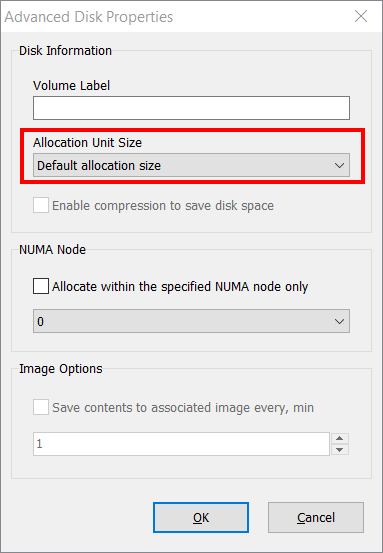
Alternatively, you can stop using the image file as there is no need to keep browser cache between sessions. Then you can set the desired cluster size directly in the RAM Disk's properties: