Samsung Magician error when scanning drives
4 posts · Closed
Hi,
I saw a forum post about a similar issue with and older version of Samsung Magician from a few years ago, and it seems it has occurred again now with Samsung Magician 6.2.1.
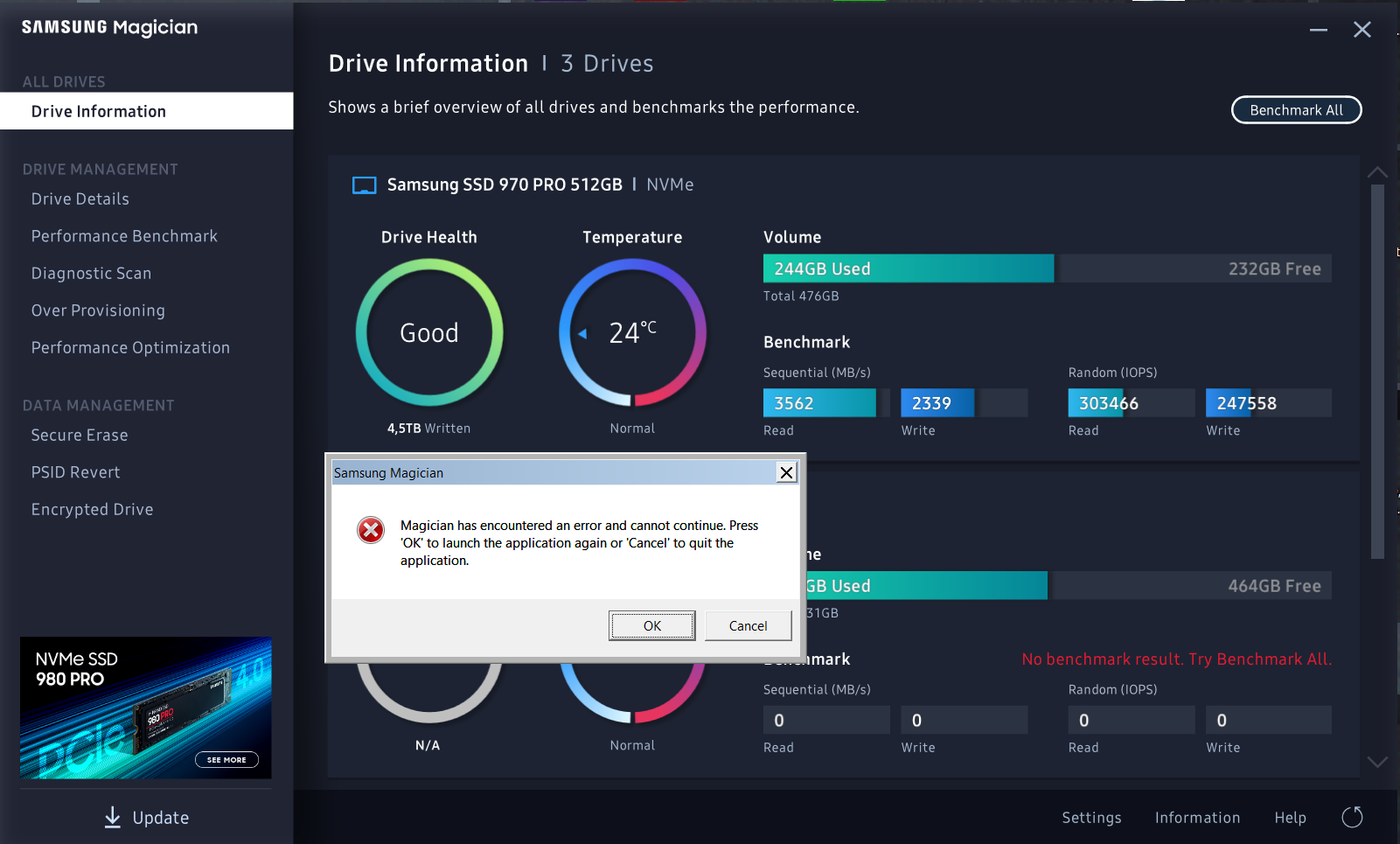
My system: Windows 7 64bit, 7700k on Asus z270 Maximus Hero, 16GB RAM, Samsung 970 Pro 512. RAM Disk 4GB exFat. Tried both with and without image on disk - same error:
Samsung Magician wrote:
Magician has encountered an error and cannot continue. Press 'OK' to launch the application again or 'Cancel' to quit the application.
When starting up and scanning drives, Samsung Magician shows an error message and closes. Is it a known issue and is there any remedy for this?
Best regards
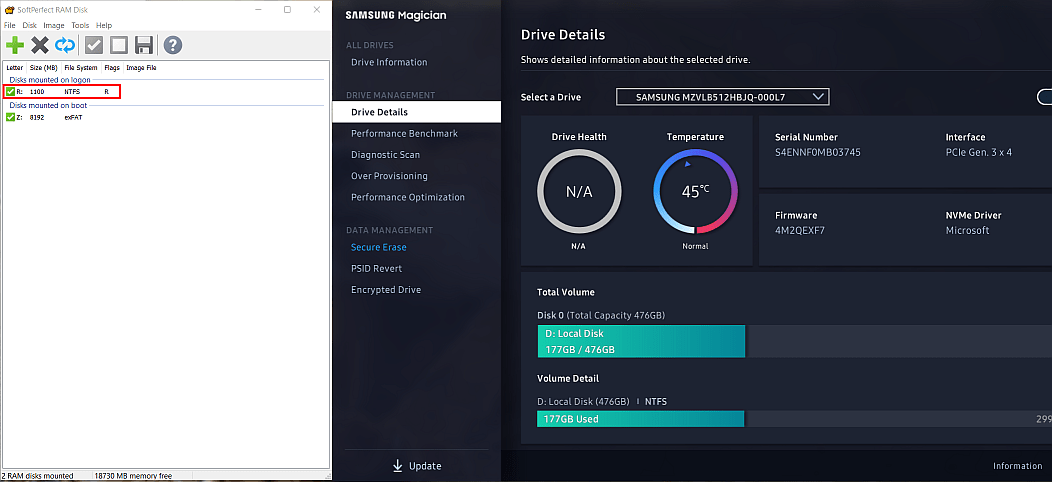
We have tested Samsung Magician 6.2.1 and our RAM Disk 4.2 and it worked fine, as shown on the screenshot below.
If Samsung Magician crashes for you, it suggests the problem is in Samsung Magician. If it did not like something about a RAM disk, it should have skipped it instead of crashing (that is what the fix from 2013 you referred to did and still does).
You could either contact Samsung about this issue, or try using different settings for the RAM disk to see if a different settings combination satisfies Samsung Magician. Namely:
- Try turning the HDD emulation mode on and off.
- Try turning the Removable flag on and off.
- Try using a different file system, e.g. NTFS.
Thanks for your prompt reply.
I checked, and found that it is the enabled "removable" flag that causes Samsung Magician to crash.
Thanks for sharing your discovery!
It is however a mystery why Samsung Magician doesn't like removable disks.