How to delete recognised devices
2 posts · Closed
User Guest
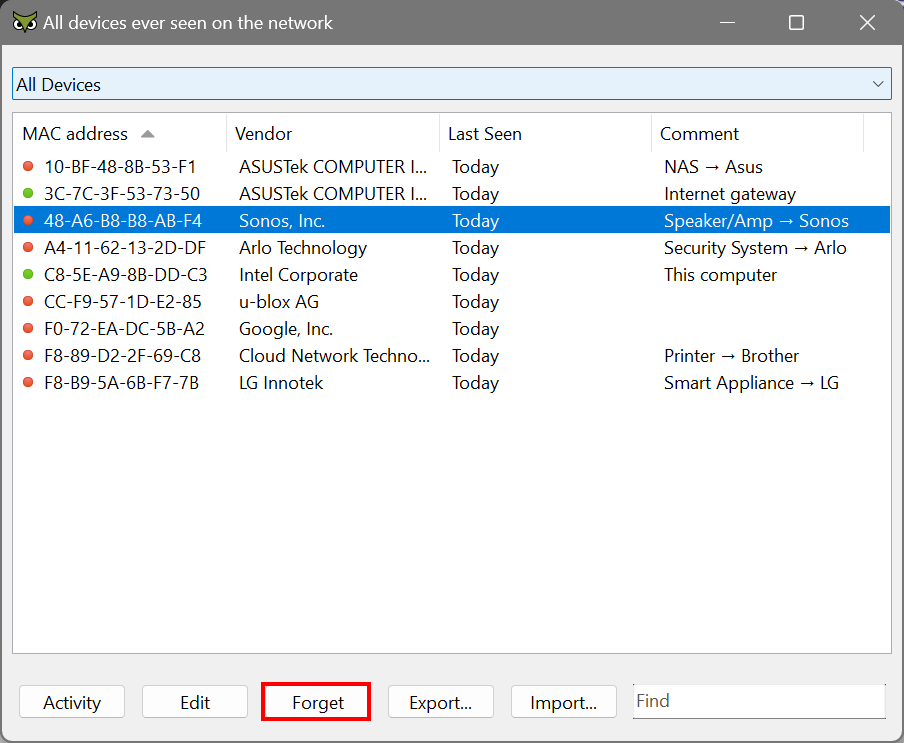
I no longer use some devices that I added to WiFi Guard before. How can I delete the recognised devices that I no longer use?
Ann SoftPerfect
Simply open All Devices in the main menu, select the device you no longer use, and click Forget.
This topic is closed.
It has had no new posts for over a year, so the software versions it talks about may be out of date.
Start a new topic in WiFi Guard if you have a similar question.