Email notification error
2 posts · Closed
I cannot get the email notification to work. It gives an error message every time:
E-mail sending failed
Cannot connect to server on host 'localhost':
Connection refused.
Socket Error Code: 61($3D)
I have followed the online guidelines for an email account, including setting up an app password for WiFi Guard, but to no avail. I know I must be missing something, just don't know what, so I'm looking for your help.
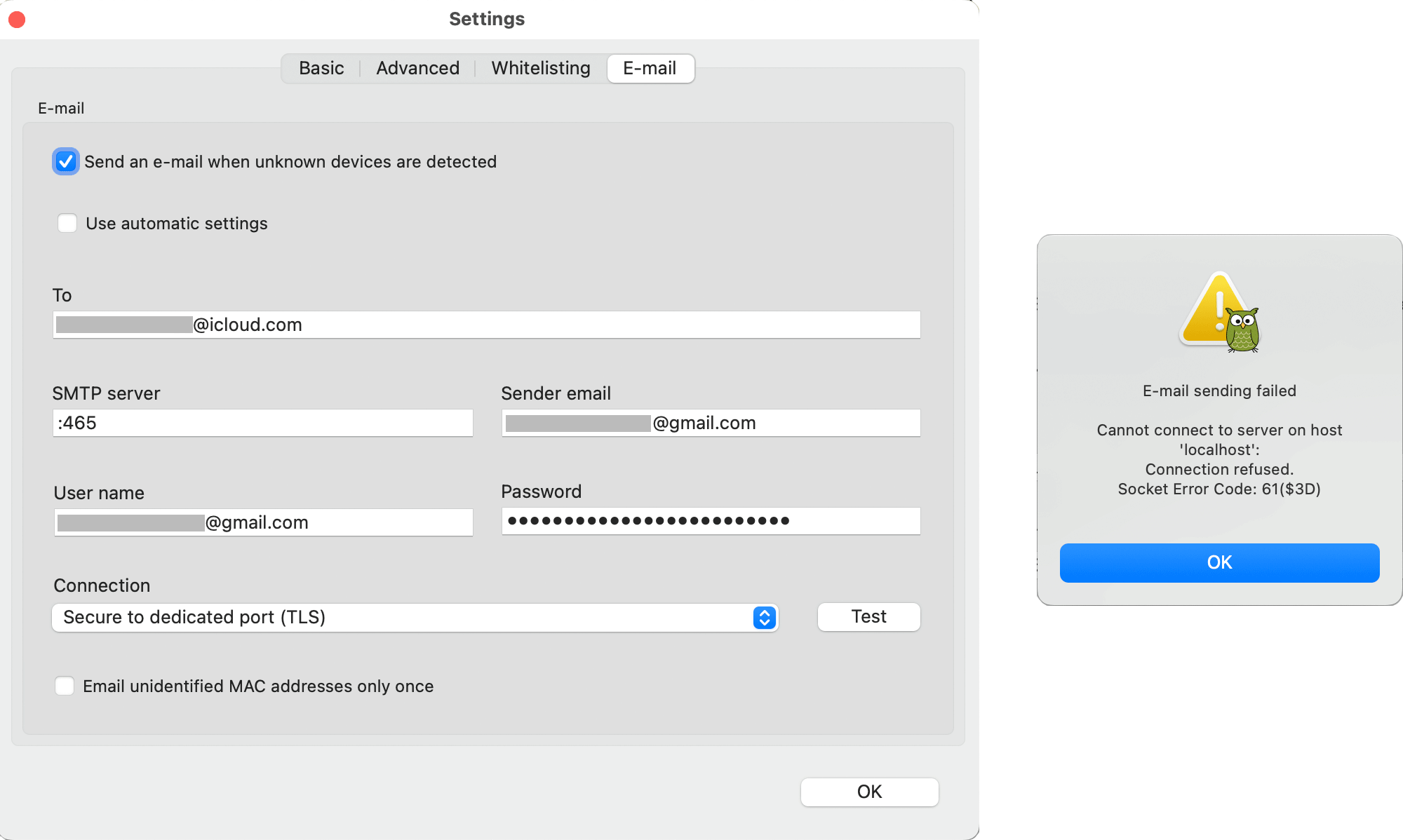
The issue is in the SMTP Server field. According to your screenshot, you are attempting to use a Gmail server, but have not specified an SMTP server.
For Gmail, the correct SMTP server address is smtp.gmail.com:465 (where 465 is the port number). But in your case, no hostname was provided, only ":465".
And if after specifying the correct server address it still does not work, you can simply enable 'Use automatic settings'. Then WiFi Guard will send mail using our server.