SMTP server error 5.5.1 when using Fastmail
3 posts · Closed
I am trying to make WiFi Guard email sending work with Fastmail, but have been unsuccessful. Email test says "SMTP server error occurred: 5.5.1 Invalid command".
So was the invalid command sent by the SMTP server, or WiFi Guard? And what can I do to troubleshoot this issue?
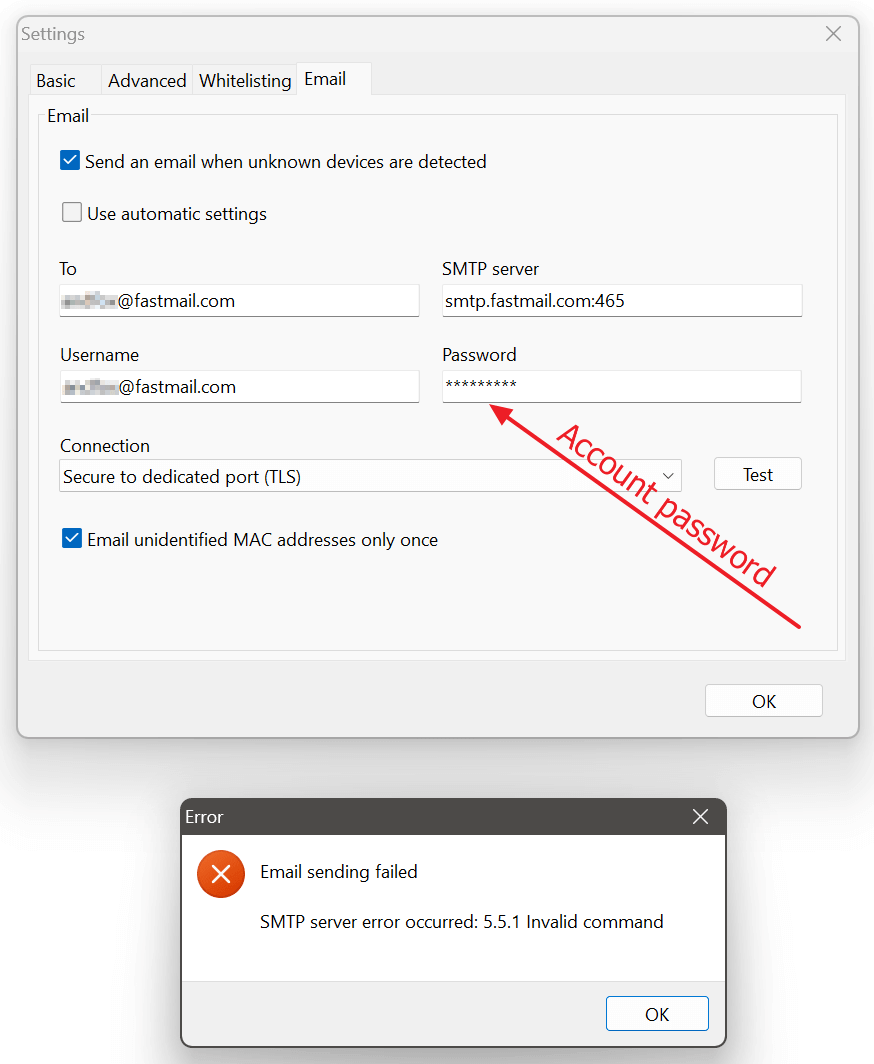
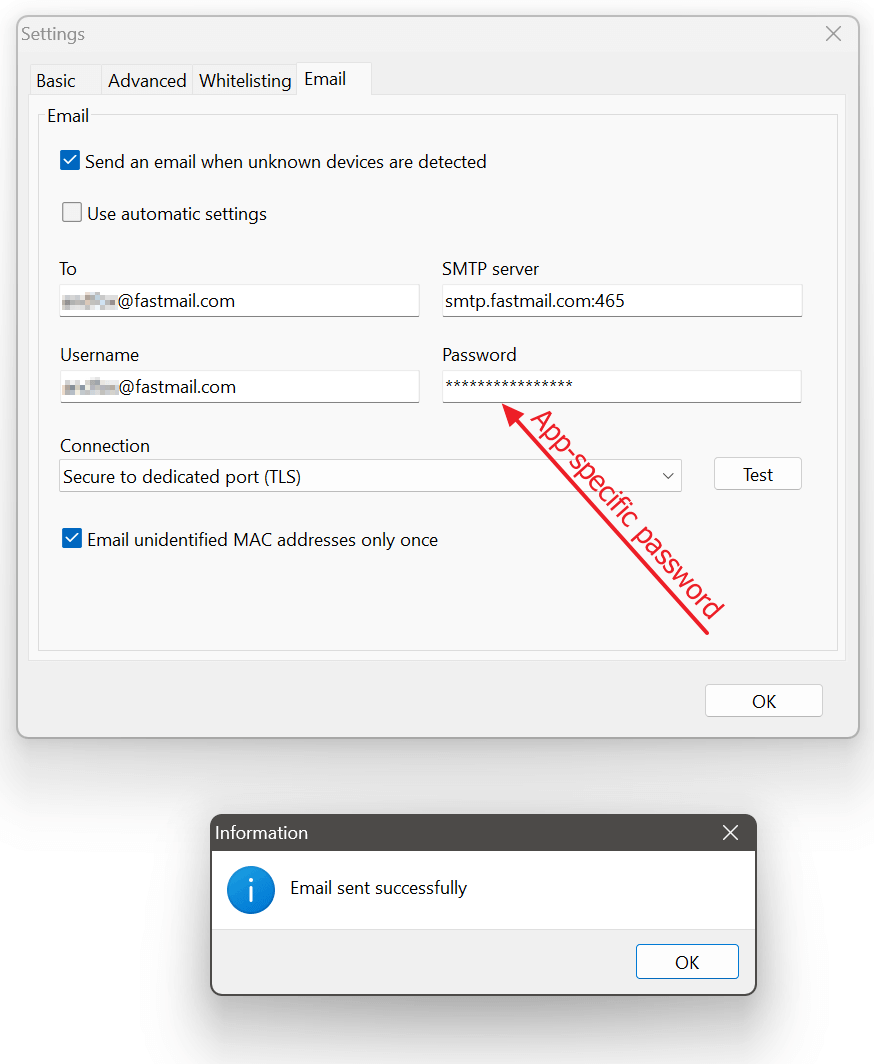
We've tested this and it appears that the error is the Fastmail's way of indicating an authentication failure. When using the regular account password, we encountered the same issue. However, once we generated an app-specific password, as recommended by Fastmail, the problem was resolved.
You can find their instructions on the Fastmail - App passwords page. After creating an app-specific password and using it in WiFi Guard, email sending should work correctly, as shown in the screenshots below.
Account password fails:
App-specific password works:
I don't know how, but the app-specific password I was using must have been incorrect. I created a new one and it worked.
Thank you, as confirming it worked with Fastmail was the information I required.