How to add multiple IP ranges
2 posts · Closed
Steven Guest
My home network has several IP ranges:
192.168.1.1 - 192.168.1.255
192.168.2.1 - 192.168.2.255
192.168.3.1 - 192.168.3.255
How do I add these?
Currently, WiFi Guard is only scanning the range the workstation is in.
Ann SoftPerfect
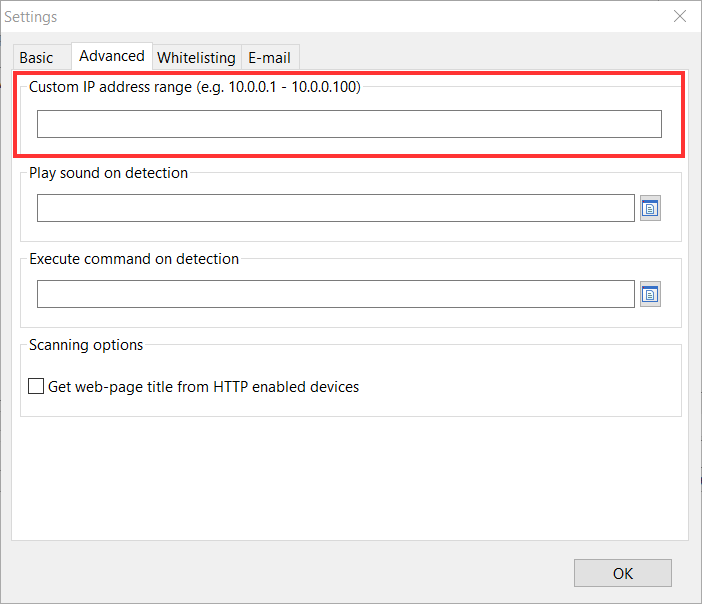
You can configure a custom IP range for scanning on the Advanced tab in Settings, as shown in the screen shot below. Enter your range as 192.168.1.1-192.168.3.255, and WiFi Guard should be able to scan all those IP addresses.
Please note that if you have a router between those subnets, WiFi Guard will be unable to detect devices in other subnets or track their MAC addresses, because the ARP traffic cannot pass across subnets through a router.
This topic is closed.
It has had no new posts for over a year, so the software versions it talks about may be out of date.
Start a new topic in WiFi Guard if you have a similar question.