Quotas
SoftPerfect Bandwidth Manager supports dynamic rule configuration based on quotas. When you create a rule, you can assign a previously defined quota instead of a fixed transfer rate. For example, you can permit users to upload or download a certain amount of data within a specified period at a certain speed, and decrease the speed if they exceeded the limit. The Bandwidth Control Service updates all rules according to the existing quotas once a minute.
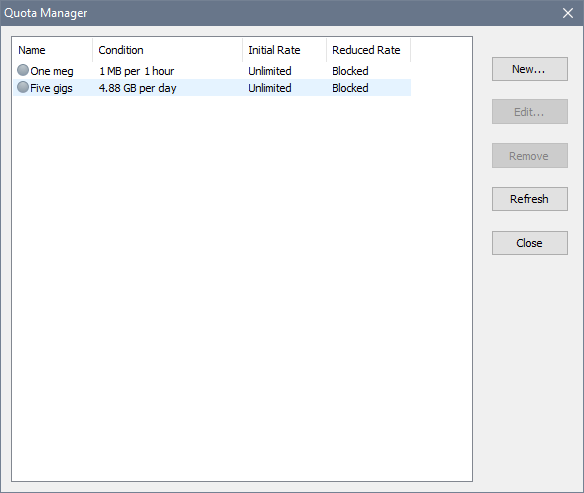
To define a quota, click the New button and in the new window specify the following:
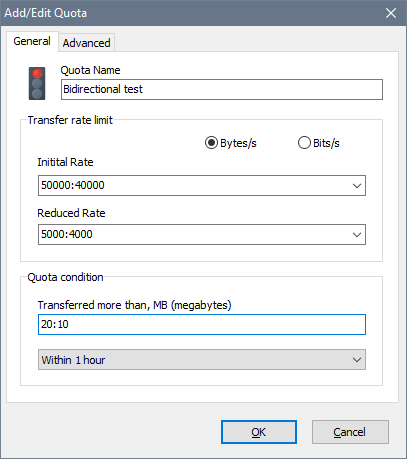
- Quota Name: a descriptive name for the quota.
- Initial Rate: an initial transfer rate. This speed applies if a rule has not exceeded the limit.
- Reduced Rate: a reduced transfer rate. This speed applies if a rule has exceeded the limit. Choose Block if you would like to block the user completely, or choose Suspend to suspend the rule. A suspended rule is ignored and the user’s traffic must be processed by one of the remaining rules in the ruleset, otherwise the user may gain unlimited access. Suspended rules allow to implement multilevel quotas or to show a custom message to the user. See the examples for details.
- Transferred more than: an amount of data in megabytes after which the transfer rate goes down.
- Period: a period the quota is for.
If you would like to use different download/upload rates and link this quota to a bidirectional rule, specify the rates separated by a colon. For example 100000:50000 would enforce a 100 kB/s limit on incoming traffic and a 50 kB/s limit on outgoing traffic. You can also specify a dual quota condition, for example 20:10 would give a user 20 MB of incoming data and 10 MB of outgoing data.
Note that for weekly quotas, a week by default means a period from Monday to Sunday. You can change this in the global settings.
You may wish for the data transfer rate changes to take place gradually as the user quota is consumed. If the Decrease transfer rate smoothly option is enabled, the software will gradually decrease the transfer rate for all rules associated with the quota as it is used up.
Here is an example. The initial transfer rate is 100 kB/s, the reduced transfer rate is 10 kB/s and the quota limit is 100 MB. When the user consumes 10 MB of the quota, the transfer rate is decreased by 10% to 91 kB/s. When the user has consumed 20 MB, the transfer rate drops by another 10%, to 82 kB/s. This continues as the user quota is consumed, until the transfer rate reaches 10 KB/s.
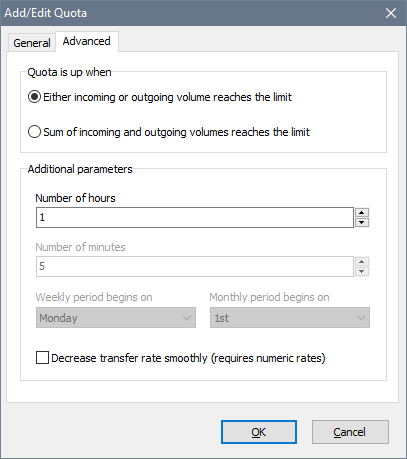
On the Advanced tab you can specify how the quota limit is reached. This can be either:
- When either incoming or outgoing traffic reaches the limit.
- When the sum of incoming and outgoing volumes reaches the limit.
You can also change the time span of minute and hour quotas, as well as specify when the billing period begins.