How to move (export and import) the saved known addresses and comments

How to move (export and import) the saved known addresses and comments   15 June 2024, 10:35

Hi everyone,

I recently purchased a license and transitioned from the portable version to the latest installable version for Windows. However, I've noticed that my configurations, known addresses, and the comments I added for each address do not appear in the installed version.

Is there a way to import and export these configurations and values?

Thanks in advance!
SoftPerfect Support forum - Andrew avatar image

Re: How to move (export and import) the saved known addresses and comments   15 June 2024, 11:58

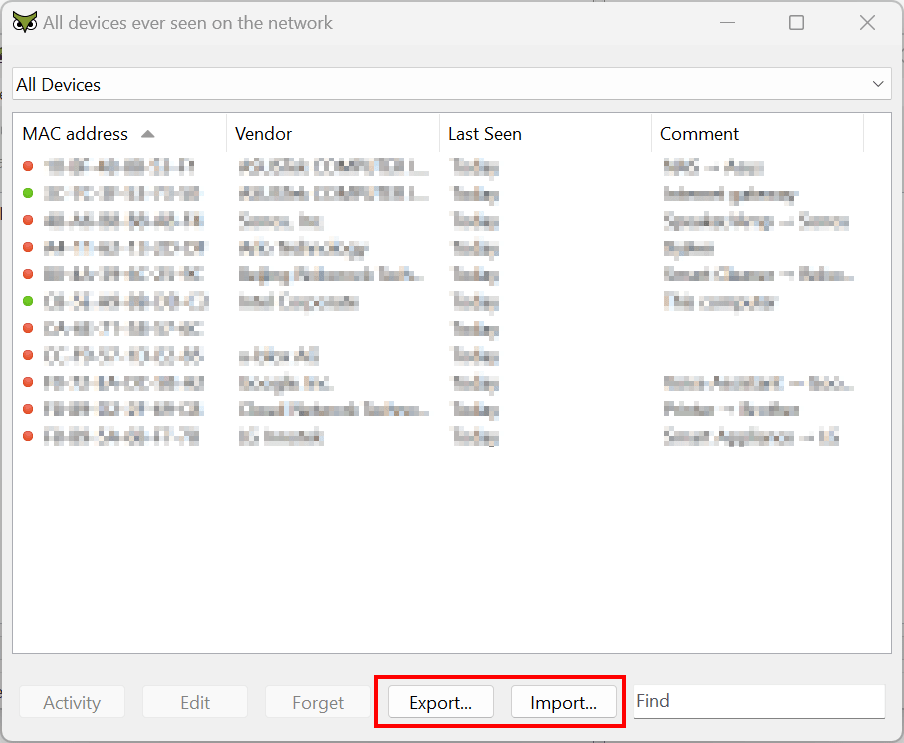
Simply click "All Devices - Export" in the portable version and save the list to a file. Then, in the installed version, click "Add Devices - Import" to transfer the data:

SoftPerfect support forum

Reply to this topic

Sometimes you can find a solution faster if you try the forum search, have a look at the knowledge base, or check the software user manual to see if your question has already been answered.

Our forum rules are simple:

  • Be polite.
  • Do not spam.
  • Write in English. If possible, check your spelling and grammar.

Author:

Email:

Subject

A brief and informative title for your message, approximately 4–8 words:


Spam prevention: please enter the following code in the input field below.

 **        **     **  **      **  **     **  **     ** 
 **        **     **  **  **  **  **     **   **   **  
 **        **     **  **  **  **  **     **    ** **   
 **        **     **  **  **  **  **     **     ***    
 **        **     **  **  **  **   **   **     ** **   
 **        **     **  **  **  **    ** **     **   **  
 ********   *******    ***  ***      ***     **     ** 

Message: