Adjust transparency in the floating graph
6 posts · Closed
Hi. Is it possible to adjust transparency in the floating graph, for example 25/50/75%? This will make the appearance of the graph very nice. Thank you!
Do you mean a semi-transparent graph window?
If so, it can be achieved by adjusting the Window opacity, % value on the Graph tab in NetWorx Settings.
Hi Ann, thanks for the answer!
But I meant the transparency of the graph background only. I wanted the graph itself and all the letters and numbers to stay opaque.
To change the transparency of the graph background only, open the Hidden Options, scroll to the Transparent graph background and set it as you like.
Did we loose background transparency option for the floating graph in NetWorx version 7? If so, is it possible to petition for adding that option back?
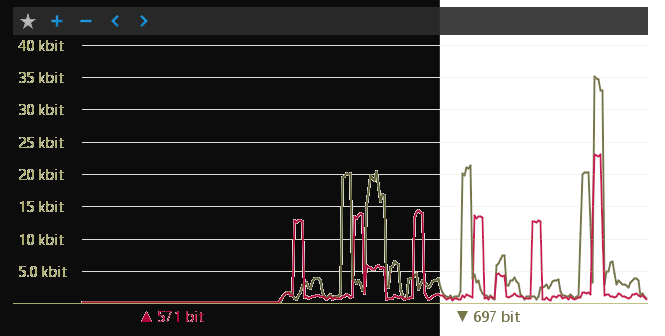
It unfortunately became incompatible with the anti-aliased drawing that NetWorx is now using to be consistent with the latest versions of Windows.
As the lines and text are drawn with antialiasing and blended with the background, it would look bad when the colour of the window behind is different. For example, if the background is white and the window behind is white, it looks good, but otherwise it does not: