SMB share on RAM disk is unshared after reboot
3 posts · Closed
Folder on RAM disk is shared.
After the server is rebooted, the SMB share on the RAM disk is unshared.
To fix it, the folder needs to be shared again.
But after reboot, the Windows SMB share on the RAM disk is unshared again.
The folder is configured/added in RAM disk as well.
OS: Windows Server 2019 (standard edition).
Firstly, please make sure you are using a RAM disk that is mounted At Startup, not at logon. A boot-time disk is initialised much earlier and is available to system services.
Secondly, try ticking Hard Disk Emulation in the RAM Disk properties. Windows treats those disks differently, and we received feedback from other customers reporting that this helped them with the same issue.
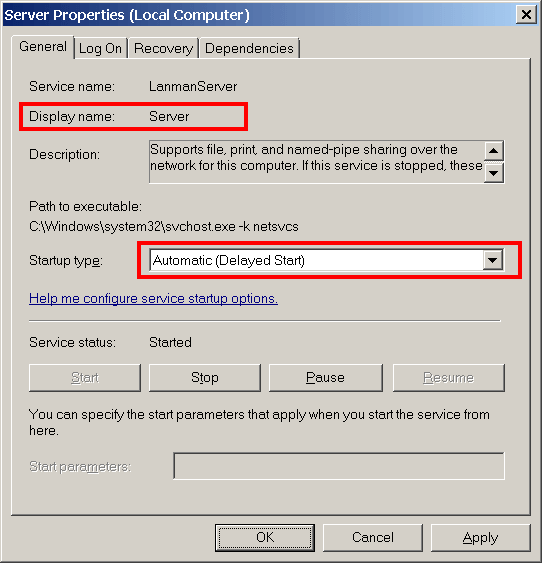
And lastly, it may be a timing issue where a RAM disk becomes ready after the Server service has started. This is more likely to happen for large RAM disks as they take more time to initialise. The easiest workaround here is to change the Server service to Delayed Start. Delayed start usually takes place 2-3 minutes after boot, by which time the RAM disk should be ready.
Thanks, that works! Enabling Hard Disk Emulation in the RAM Disk properties solved the issue.