Error when using the image file option
6 posts · Closed
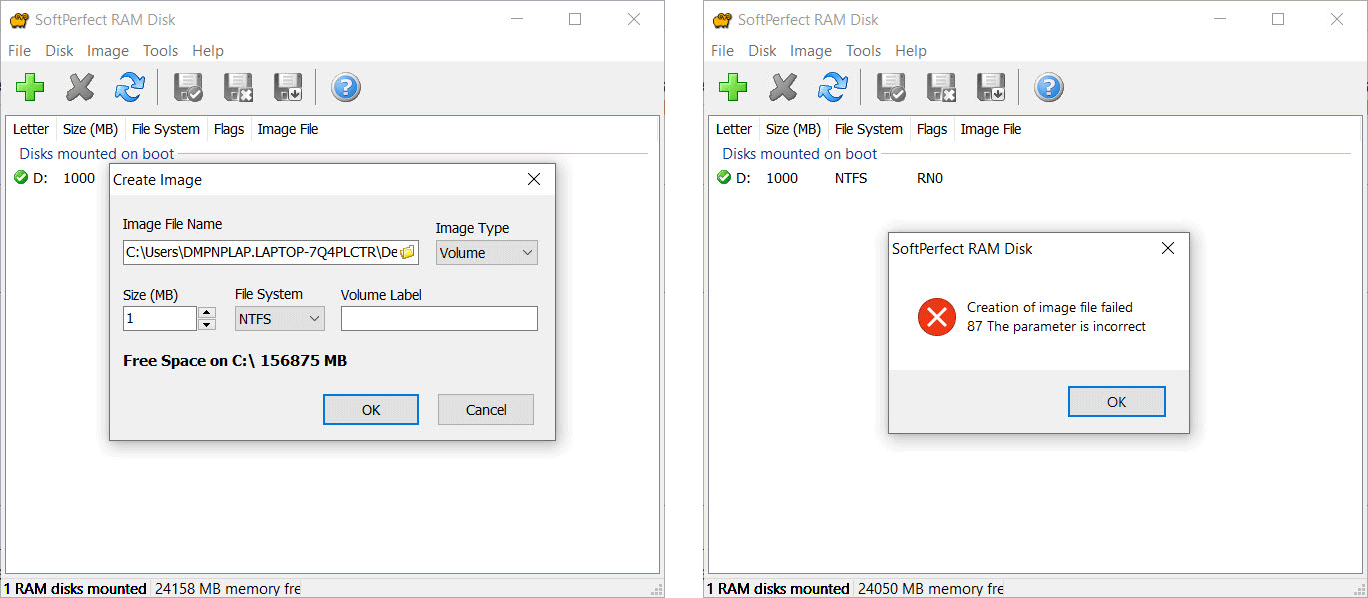
I decided to use the image file option since Windows has a nasty habit of rebooting my computer and I lose what was being saved. But I am getting this error:
Creation of image file failed 87 The parameter is incorrect
I have used your RAM Disk product forever, so I hope you can come up with a solution.
The solutions for this error are to try using a different size, a different file system, or a different location for the image. It's best to create the image on a local system drive, as it is unlikely to work well with externally connected disks or network disks.
In this particular case, based on your screenshot, it looks like you are trying to create a 1 MB image file. This size is insufficient to accommodate NTFS data structures or any useful data. Try creating a 1000 MB image file to match the size of your RAM disk.
I'm almost there! The error does not show anymore after adjusting the size.
I'd like to get the instructions for restoring files after restart. I'd appreciate it if your could recommend articles that demonstrate how to create a RAMdrive that is restored after reset/restart.
Thanks so much for your help.
Thanks again for your efforts. I have followed steps as per your guide. I created the IMG file and stored in on dekstop. I made sure there were files in the RAMdrive and then restarted computer. When I accessed the RAMdrive after restart the RAMdrive it was empty. And then I get this error: "The file couldn't be mounted because it's in use".
What am I doing wrong? Or, what am I not doing?
It appears that you are creating an image and mounting it separately, rather than associating it with a RAM disk.
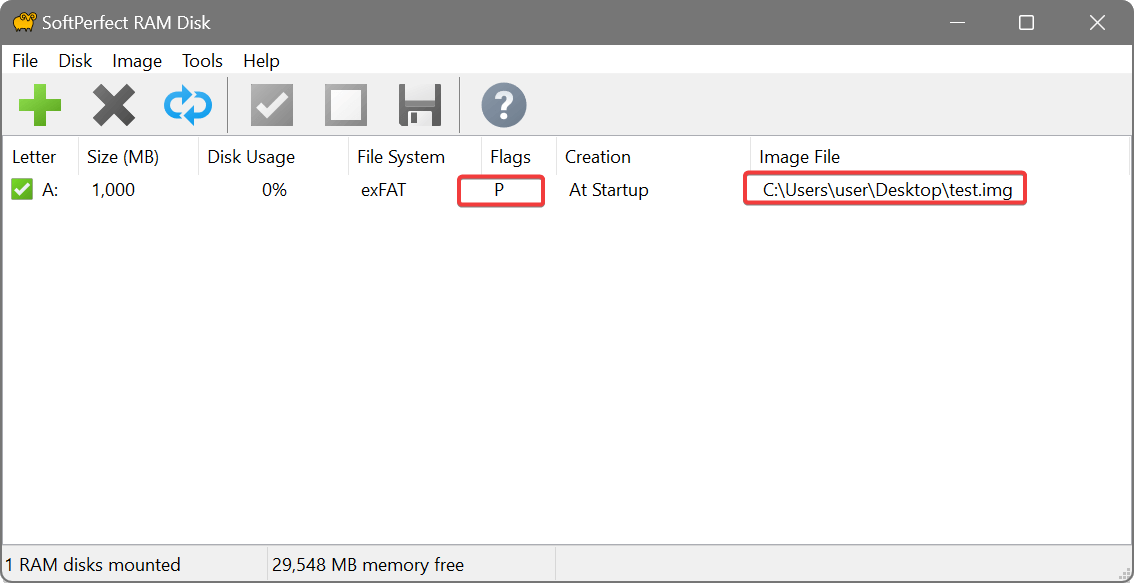
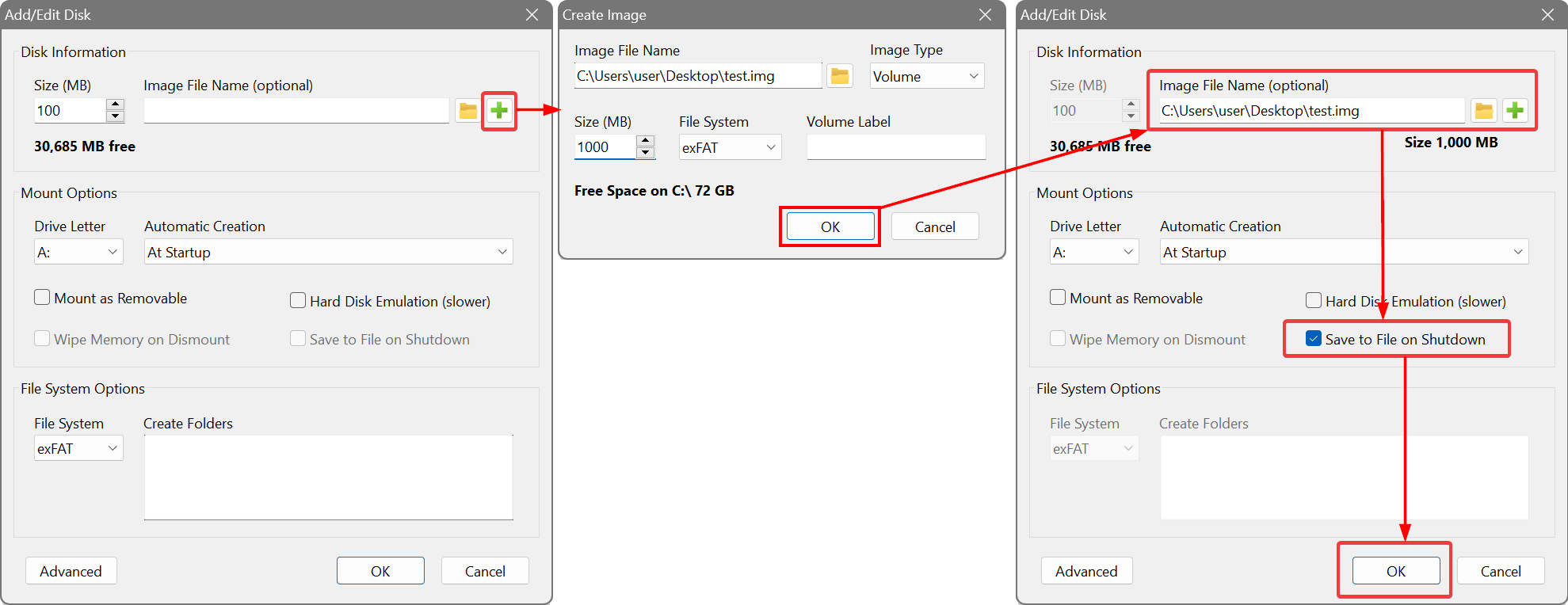
Please see the screenshots below, which illustrate the correct sequence. If done correctly, the newly created RAM disk will have the image file associated with it and the P (Persistent) flag.
After that, you can save some files onto RAM disk, reboot your computer, and the files will still be there.
The steps for associating an image file with a RAM disk:
The result: