Calculator
The Calculator tab is the main view of IP Calculator. It displays comprehensive network and mask details for any IPv4 or IPv6 address and prefix combination, along with a binary bit visualisation and subnet enumeration.
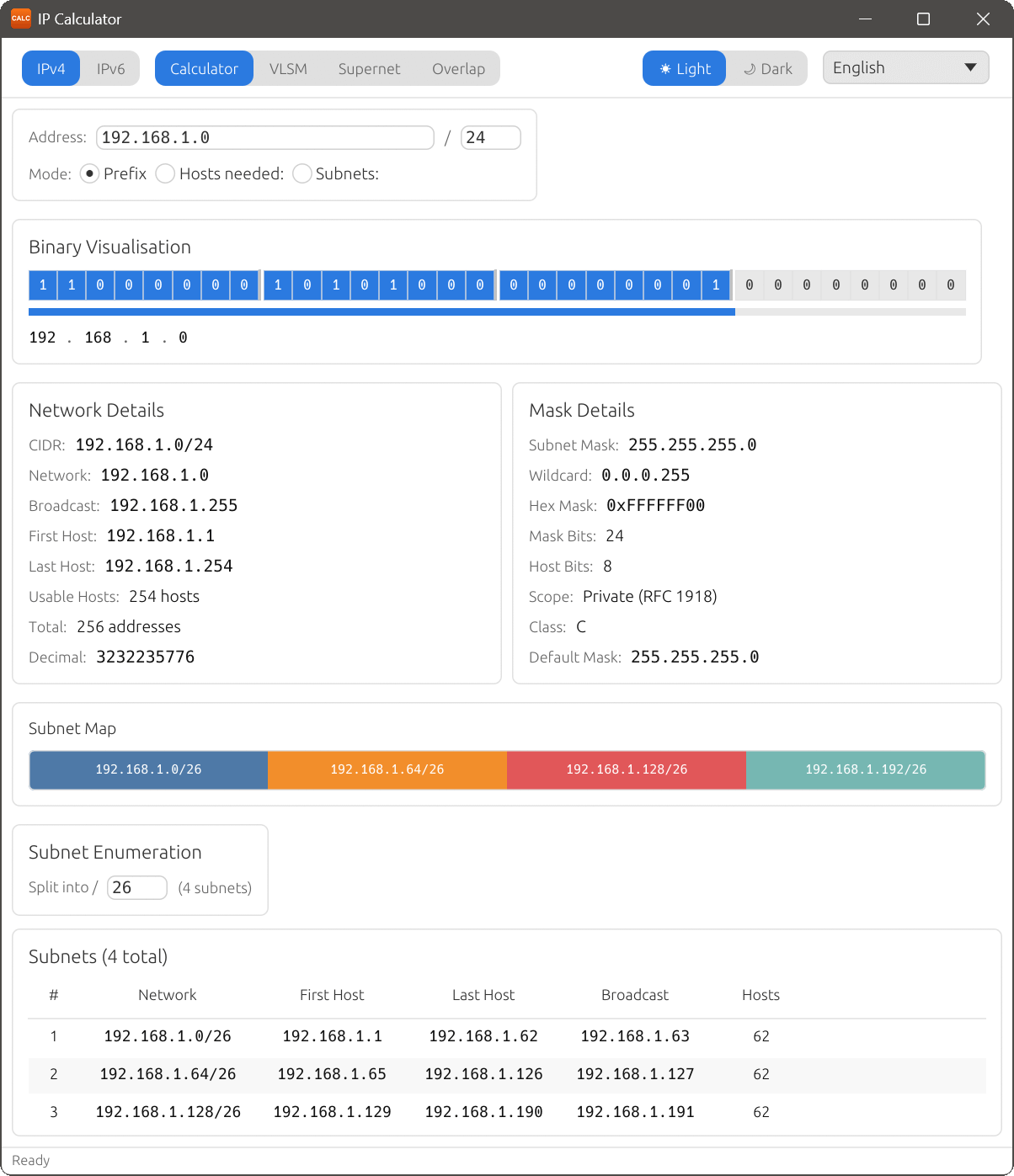
Network Details (IPv4)
When an IPv4 address and prefix are entered, the Network Details panel shows:
- CIDR
- The network address in CIDR notation (e.g. 192.168.1.0/24).
- Network
- The network address (the first address in the range).
- Broadcast
- The broadcast address (the last address in the range).
- First Host
- The first usable host address in the subnet.
- Last Host
- The last usable host address in the subnet.
- Usable Hosts
- The number of addresses available for hosts (total minus network and broadcast).
- Total
- The total number of addresses in the subnet.
- Decimal
- The network address expressed as a decimal integer.
For /31 prefixes (point-to-point links per RFC 3021), there are no dedicated network or broadcast addresses and both addresses are usable. For /32 prefixes (host routes), the network contains a single address.
Mask Details (IPv4)
- Subnet Mask
- The subnet mask in dotted-decimal notation (e.g. 255.255.255.0).
- Wildcard
- The wildcard (inverse) mask, commonly used in ACL configurations.
- Hex Mask
- The subnet mask in hexadecimal notation.
- Mask Bits
- The number of bits set to 1 in the subnet mask (equal to the prefix length).
- Host Bits
- The number of bits available for host addressing.
- Scope
- The address scope or category (e.g. Private, Public, Loopback, Link-local).
- Class
- The classful network class (A, B, C, D or E) based on the first octet.
- Default Mask
- The default subnet mask for the classful network class.
Binary Visualisation
Below the details panels, the Binary Visualisation section displays all 32 address bits as individual cells. Network bits and host bits are colour-coded in different colours, making it easy to see the boundary between the network and host portions of the address. As you change the prefix length, the boundary shifts accordingly.
This visualisation is particularly useful for understanding how subnetting works at the bit level, and is an excellent study aid for networking certification exams.
Input modes
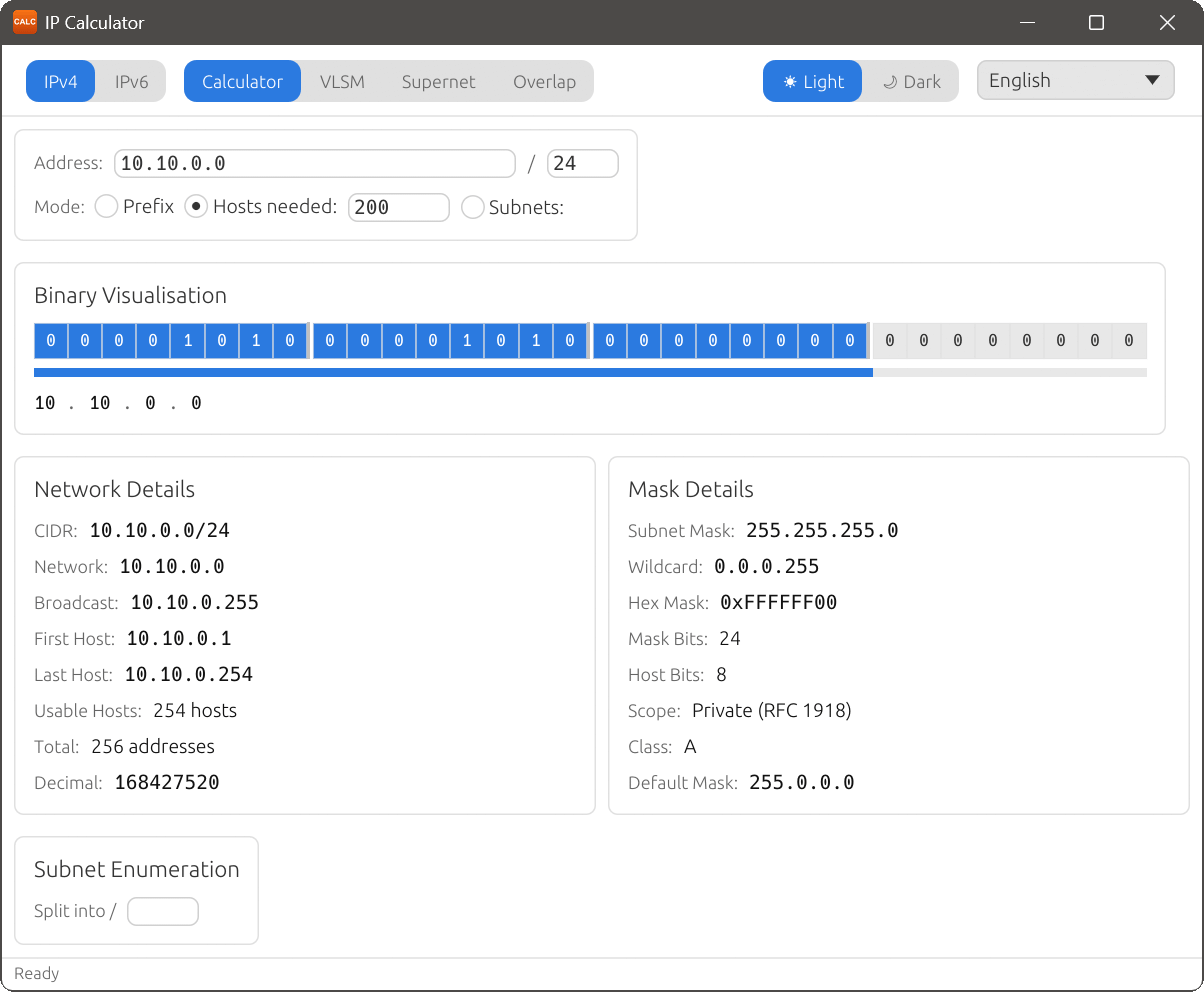
The Calculator supports three input modes. In Hosts needed mode, you enter the number of hosts required and IP Calculator selects the smallest prefix that provides at least that many usable addresses:
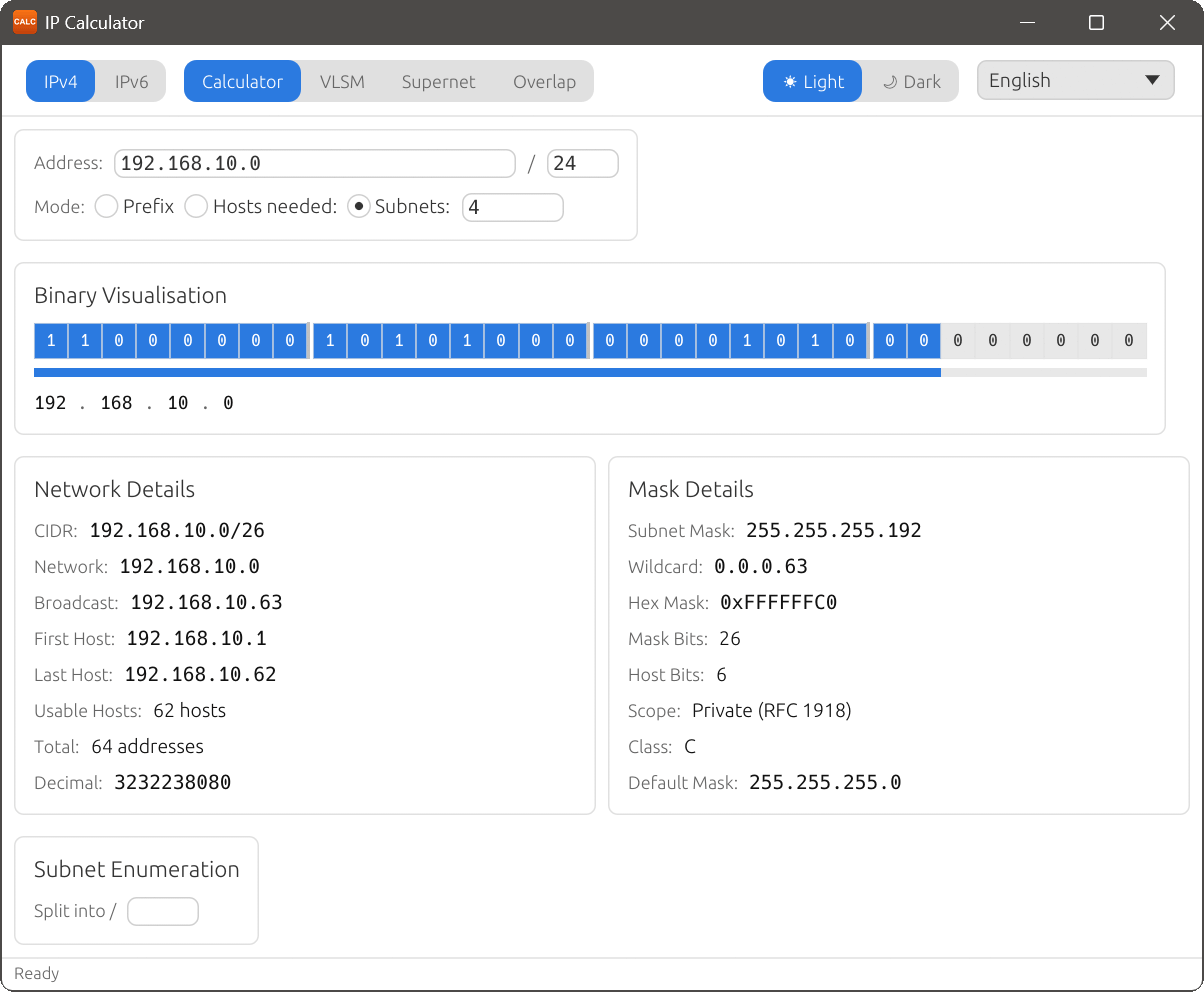
In Subnets mode, you specify how many equal subnets you need, and IP Calculator determines the appropriate child prefix length:
IPv6 mode
Switching to IPv6 mode adapts the calculator for 128-bit addresses. The details panels change to show IPv6-specific information:
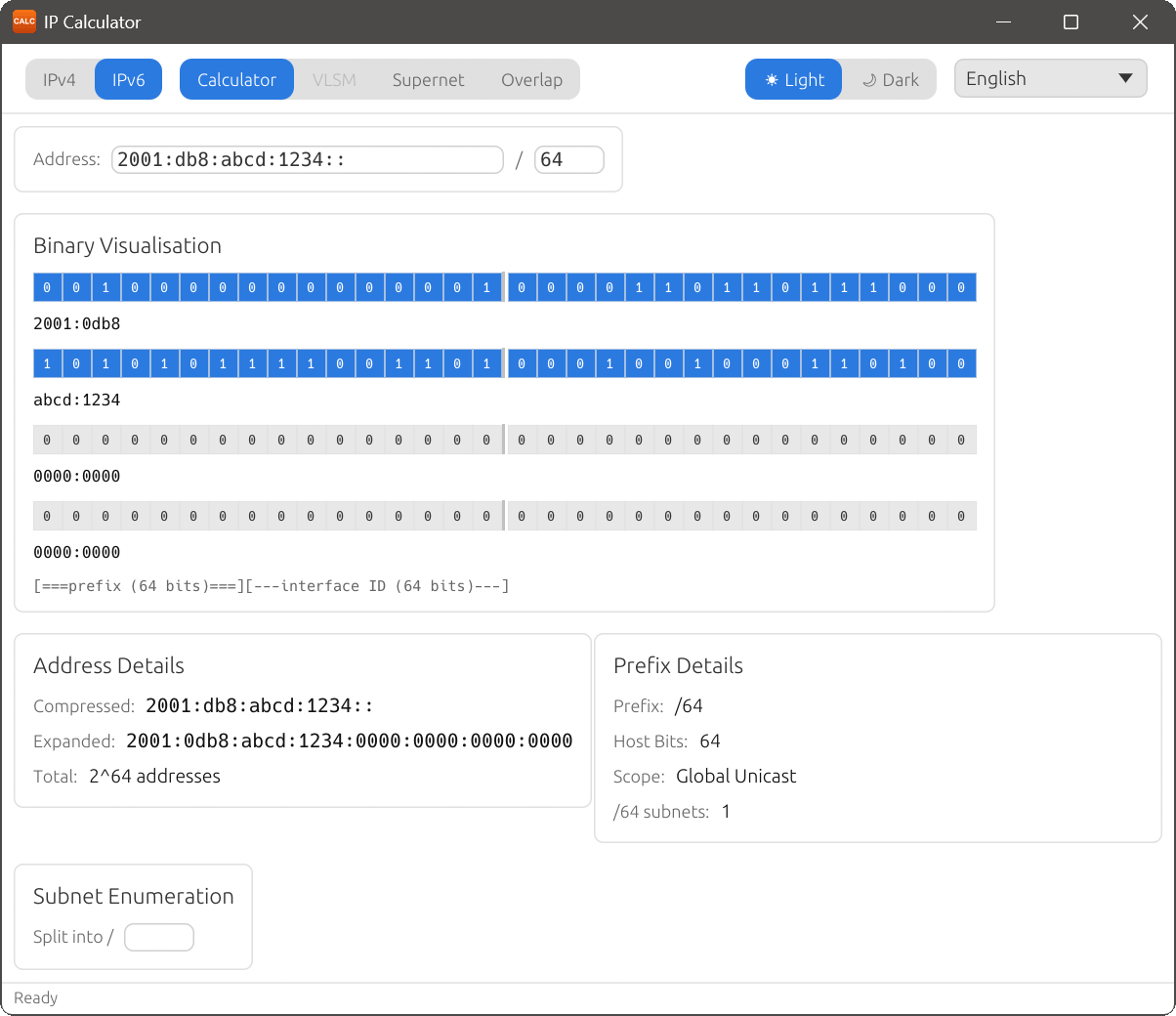
Address Details (IPv6)
- Compressed
- The address in compressed notation with leading zeroes and consecutive zero groups omitted.
- Expanded
- The full 128-bit address with all groups and leading zeroes shown.
- Interface ID
- The host portion of the address (the bits after the prefix).
- Total
- The total number of addresses in the prefix.
Prefix Details (IPv6)
- Prefix
- The network prefix in CIDR notation.
- Host Bits
- The number of bits available for host addressing.
- Scope
- The address scope (e.g. Global Unicast, Link-local, Unique Local).
- /48 subnets
- The number of /48 subnets that fit within this prefix (shown when applicable).
- /64 subnets
- The number of /64 subnets that fit within this prefix (shown when applicable).
The Binary Visualisation in IPv6 mode displays all 128 address bits, using the same colour-coding for network and host portions.