VLSM calculator
The VLSM (Variable Length Subnet Masking) tab allocates subnets of different sizes from a single parent network based on your specific host requirements. This avoids the waste inherent in fixed-size subnetting, where every subnet must be the same size regardless of how many hosts it actually needs.
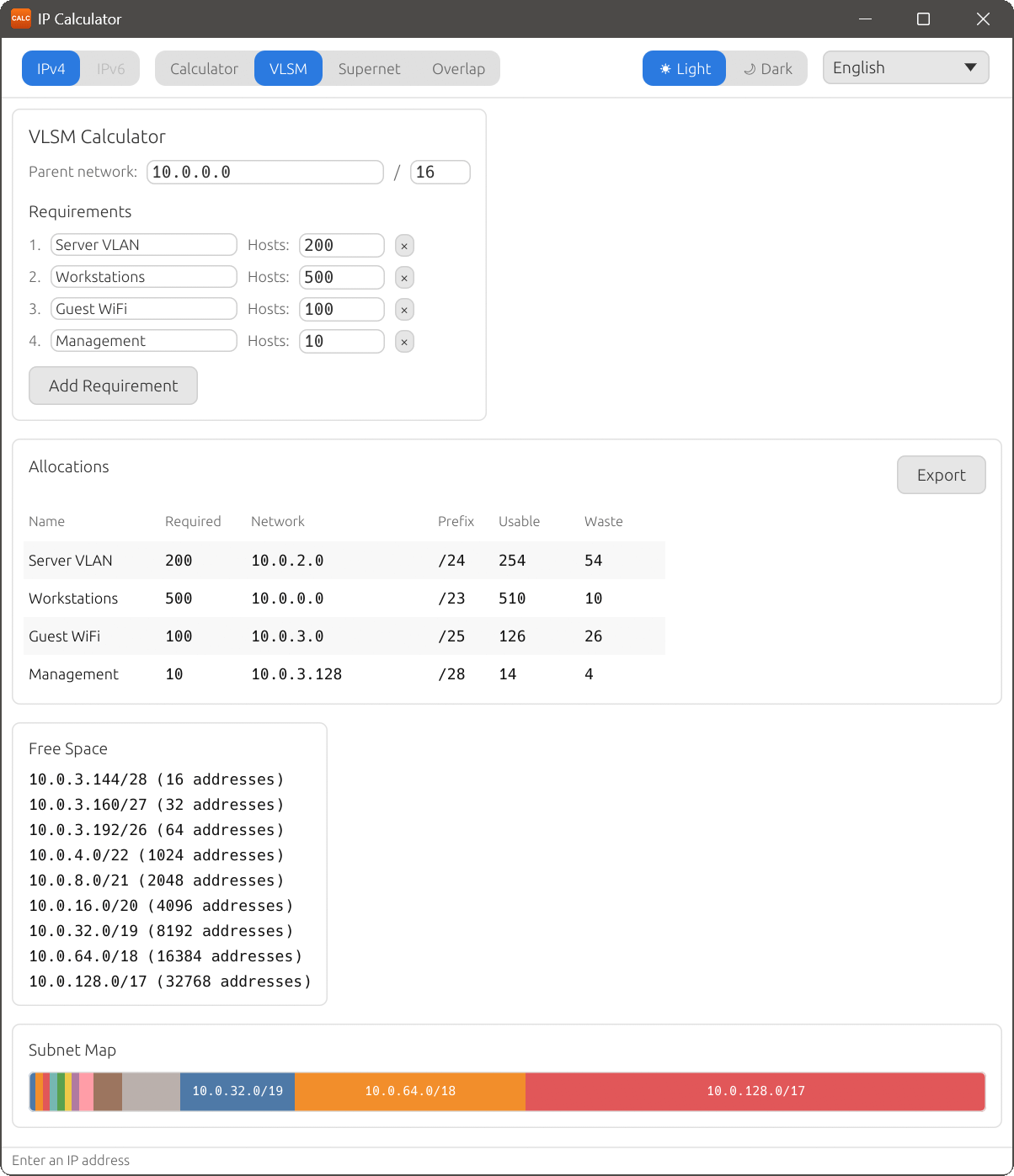
Parent network
At the top of the VLSM tab, enter the parent network in the address and prefix fields (e.g. 192.168.1.0/24). This defines the total address space from which subnets will be allocated.
Requirements
Under the Requirements heading, define the subnets you need:
- Enter a descriptive name in the Subnet name field (e.g. “Servers”, “Workstations”, “Guest Wi-Fi”).
- Enter the number of hosts needed in the Hosts: field.
- Click Add Requirement to add the entry to the list.
- To remove a requirement, click the × button next to it.
IP Calculator automatically sorts requirements by size (largest first) and allocates the smallest subnet that fits each requirement.
Allocations
Once requirements are defined, the Allocations section displays the results in a table:
| Column | Description |
|---|---|
| Name | The subnet name you specified. |
| Required | The number of hosts you requested. |
| Network | The allocated subnet in CIDR notation. |
| Prefix | The subnet’s prefix length. |
| Usable | The actual number of usable host addresses in the allocated subnet. |
| Waste | The difference between usable addresses and the required number. |
Free Space
The Free Space section lists any remaining unallocated blocks within the parent network. These can be used for future expansion or additional subnets.
Subnet Map
A proportional bar chart below the tables shows the allocated subnets and free space visually, making it easy to see how the parent network’s address space has been divided.
The VLSM calculator is available in IPv4 mode only.