Overlap detection
The Overlap tab compares a list of CIDR networks and identifies any that overlap, contain one another, or are identical. This is essential for auditing IP address allocations across departments, sites or cloud environments to prevent addressing conflicts.
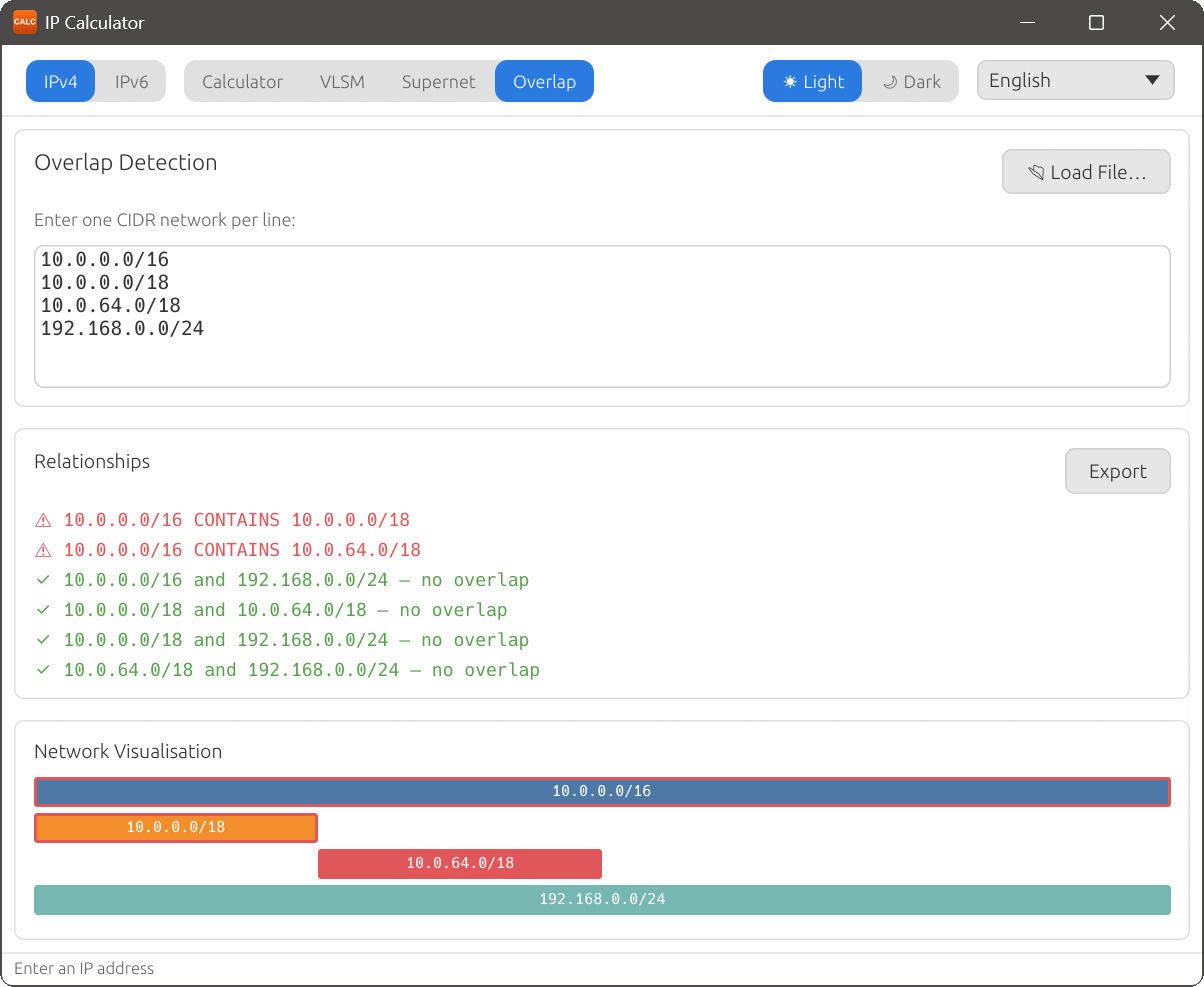
Entering networks
Under the Overlap Detection heading, enter your networks in the multi-line text area, one CIDR network per line. You can also click Load File… to import from a text or CSV file.
Relationships
The Relationships section lists pairwise comparisons between all entered networks. Each line shows the two networks and the type of overlap detected.
Possible relationship values:
- no overlap
- The two networks do not share any addresses.
- CONTAINS
- One network fully contains the other (i.e. one is a subnet of the other).
- IDENTICAL
- Both networks represent exactly the same address range.
Network Visualisation
Below the relationships table, the Network Visualisation section displays a bar chart showing the relative positions and sizes of all entered networks. Overlapping regions are visually highlighted, making it easy to see at a glance which networks conflict and how they relate to each other.