Global settings
The settings under the main menu Tools → Settings apply to the entire application, not to individual volumes:
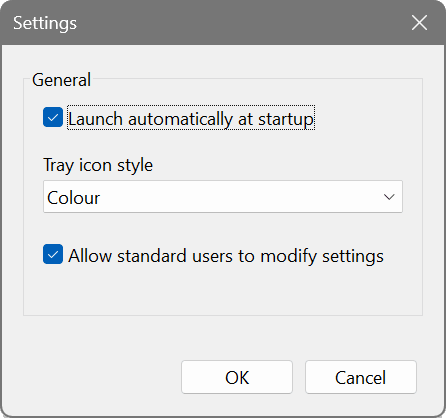
Application-wide settings
- Launch automatically at startup. Starts the application with Windows, minimised to the notification area. Not required for volumes set to create automatically at startup — those volumes mount regardless of the application.
- Tray icon style. Colour, white or black notification-area icon.
- Allow standard users to modify settings. Enabled by default, so that non-administrator users can create and manage volumes and change settings. Uncheck it to require administrator rights for volume management, for example on a managed or locked-down machine.
The macOS and Linux editions offer the same settings, with the launch-at-startup option adding the application to the login items on macOS and to the desktop's autostart entries on Linux. The user-access restriction can also be set with ramfsctl settings admin_only=yes.