Transfer settings
The Transfers tab controls how file transfers are handled:
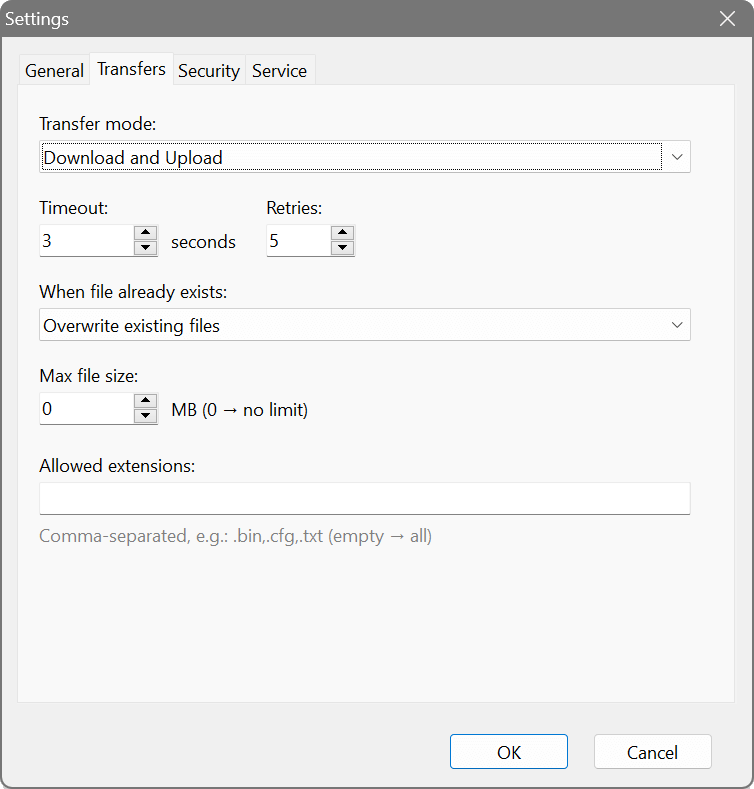
- Transfer mode
- Controls the allowed transfer directions:
- Download and Upload: clients can both read (GET) and write (PUT) files. This is the default.
- Download only: clients can only read files from the server. Write requests are denied.
- Upload only: clients can only write files to the server. Read requests are denied.
- Timeout
- The number of seconds to wait for a response from the client before retransmitting a packet. The default is 3 seconds, which works well for most networks. Increase this value for high-latency or unreliable connections.
- Retries
- The number of times to retransmit a packet before giving up and terminating the transfer. The default is 5 retries. Combined with the timeout, this determines how long a stalled transfer will wait before failing.
- When file already exists
- Determines what happens when a client uploads a file that already exists:
- Overwrite existing files: the existing file is replaced with the new upload.
- Reject the transfer: the upload is denied with an error.
- Rename with timestamp: the new file is saved with a timestamp suffix, preserving both versions.
- Max file size
- The maximum allowed file size in megabytes. Set to 0 for no limit. This applies to both uploads and downloads. Transfers exceeding this limit will be rejected.
- Allowed extensions
- A whitelist of file extensions that can be transferred. Leave empty to allow all file types. Enter extensions separated by spaces or commas, with or without the leading dot (e.g.,
.bin .cfg .txtorbin, cfg, txt). Files with other extensions will be rejected.
Performance tuning
The server supports RFC 2348 (block size) and RFC 7440 (window size) options for improved performance. These are negotiated automatically with clients that support them:
- Block size: can range from 8 to 65464 bytes. Larger blocks reduce protocol overhead and increase throughput, especially for large files. The default TFTP block size is 512 bytes.
- Window size: allows multiple blocks to be sent before waiting for acknowledgement, similar to TCP sliding window. This significantly improves performance on high-latency networks.