Threshold settings
Thresholds are what turn a number of milliseconds into a colour. Set them here and every dot, tile and sparkline in the application follows suit.
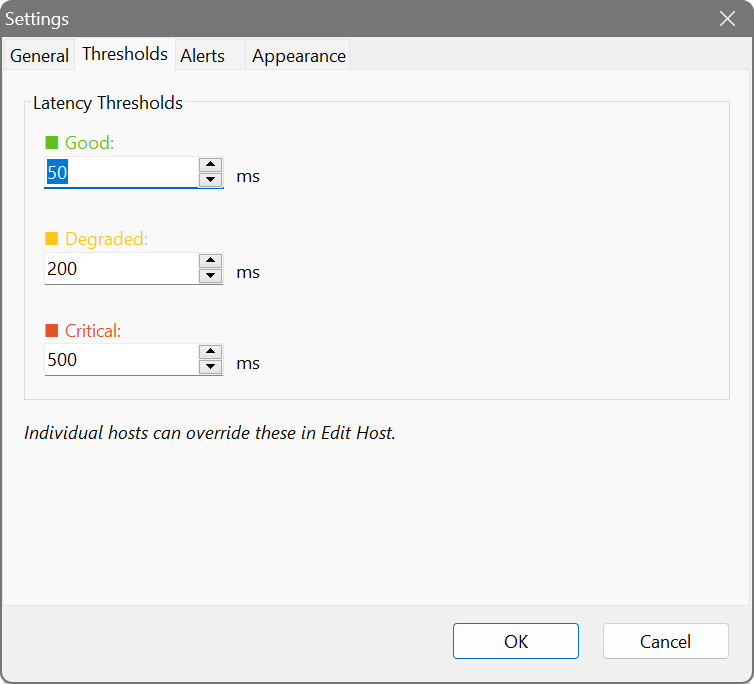
Latency thresholds
- Good (green)
- At or below this, a host counts as healthy. Default 50 ms.
- Degraded (yellow)
- Between good and here, a host is slow but working. Default 200 ms.
- Critical (red)
- Past this, something is wrong. Default 500 ms. A host that does not answer at all is red as well.
Per-host overrides
One set of numbers rarely suits everything, so any host can have its own. Right-click it, choose Edit, and tick Use custom settings (override global defaults). This is what you want for a host whose normal latency is nothing like the rest – a server on another continent, or a link you already know is slow.
Your global “good” threshold of 50 ms makes sense for the office LAN, but a server on the other side of the world will never beat it – and you do not want it glowing amber forever. Right-click that host, choose Edit, tick Use custom settings, and raise its thresholds to match the realistic round trip (perhaps 250 ms good, 400 ms degraded). Now its colour reflects whether that link is healthy, not just how far away it is.