Remote Registry
The application can read values from the Windows registry on remote devices, provided the Remote Registry service is running on the target. Choose Options → Remote Registry from the menu.
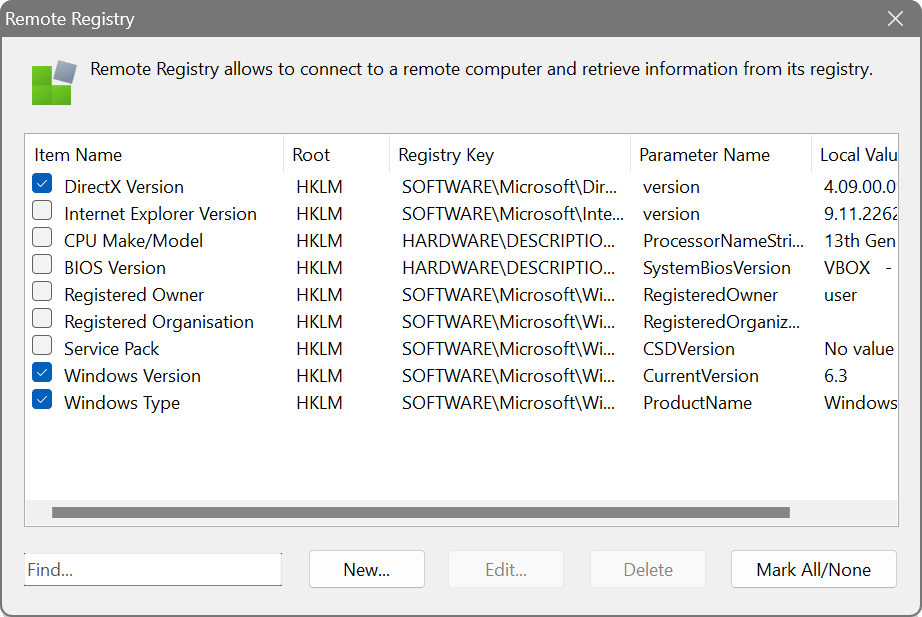
The dialog shows five columns: Item Name, Root, Registry Key, Parameter Name and Local Value. Several predefined entries are included, such as the DirectX version, CPU model and registered Windows owner.
Configuration
When creating a new entry, specify the registry root (HKEY_LOCAL_MACHINE, HKEY_USERS or HKEY_CURRENT_USER), the key path and the parameter name. Click the browse button (…) next to either field to open the Registry Browser, a two-panel interface that lets you navigate the registry tree on the left and view values on the right.
Action modes
The Action dropdown determines how the key path is interpreted:
- Read a value from one key: simple path
- Reads the named value from the exact key path specified. This is the fastest mode for a single, known location.
- Read a value from multiple keys: wildcards allowed
- Expands wildcards (* and ?) in the key path to match multiple keys, then reads the named value from each. For example, HARDWARE\DESCRIPTION\System\CentralProcessor\* reads the value from every CPU subkey. Results are returned as a list of key: value pairs.
- Check if the key exists
- Simply reports whether the specified key is present. The parameter name is not used.
Alternative paths
You can use the bracket syntax to specify alternative path segments separated by a vertical bar. For example:
The scanner will try each alternative and proceed with the first valid one. This is useful when a key can exist in different locations on 32-bit vs 64-bit systems.
Suppose you need to verify that a particular security policy is applied to all workstations. Create a registry query pointing to the relevant key (e.g. HKEY_LOCAL_MACHINE\SOFTWARE\Policies\...) and the value name. After scanning, the column will show the value on each device, making it easy to spot machines where the policy is missing or incorrect.