Remote Python
The scanner can execute Python scripts against remote devices. Choose Options → Remote Python from the menu.
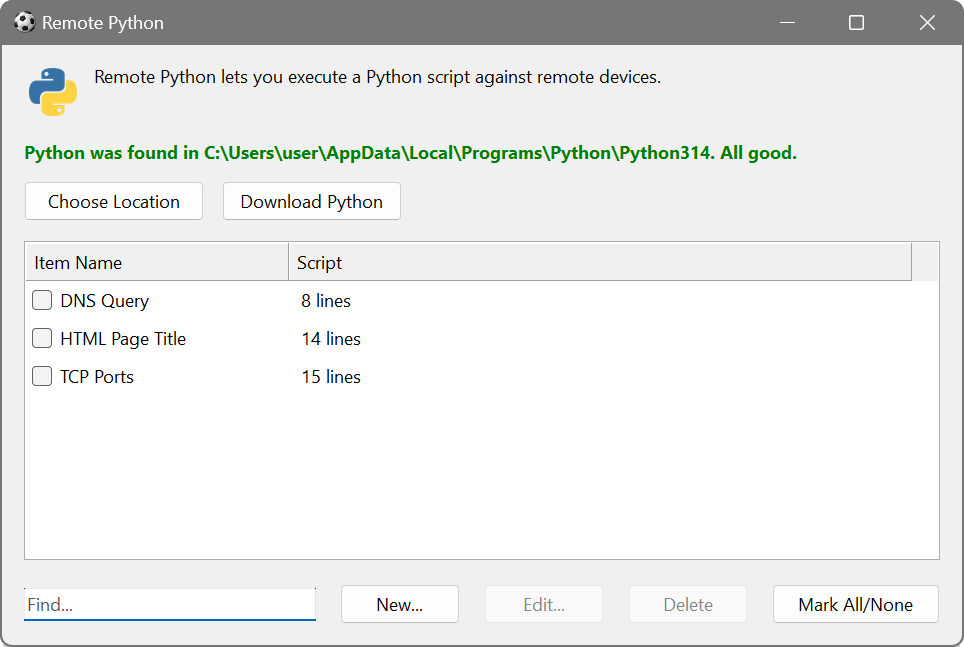
The dialog shows two columns: Item Name and Script. Python must be installed on your machine; the dialog shows the detected location and provides Choose Location and Download Python buttons if needed. Use Input.Current for the IP address, Output.Write to return data, and Input.Column("column name") to reference other columns.
Use scripting when you need to transform, parse or enrich scan results beyond what the built-in features offer. A script can reformat complex output, perform calculations, query external databases or APIs, or apply pattern matching with the full power of the Python standard library.
Python vs VBScript
The Network Scanner also supports VBScript/JScript scripting as an alternative. Python is the better choice when you need access to its extensive standard library or third-party packages (e.g. for parsing complex data formats, making REST API calls with requests, or performing advanced calculations), or if you are more familiar with Python syntax.
VBScript is the better choice when you need the built-in scripting objects (Process, DNS, SNMP), which are not available in Python, or when working with COM objects and WMI. Both languages support the Remote namespace for invoking other scan items. VBScript also requires no additional installation. See Remote Scripting and the scripting reference for details.