Remote SSH
For Unix, Linux and macOS devices, the scanner can connect via SSH and execute commands. Choose Options → Remote SSH from the menu.
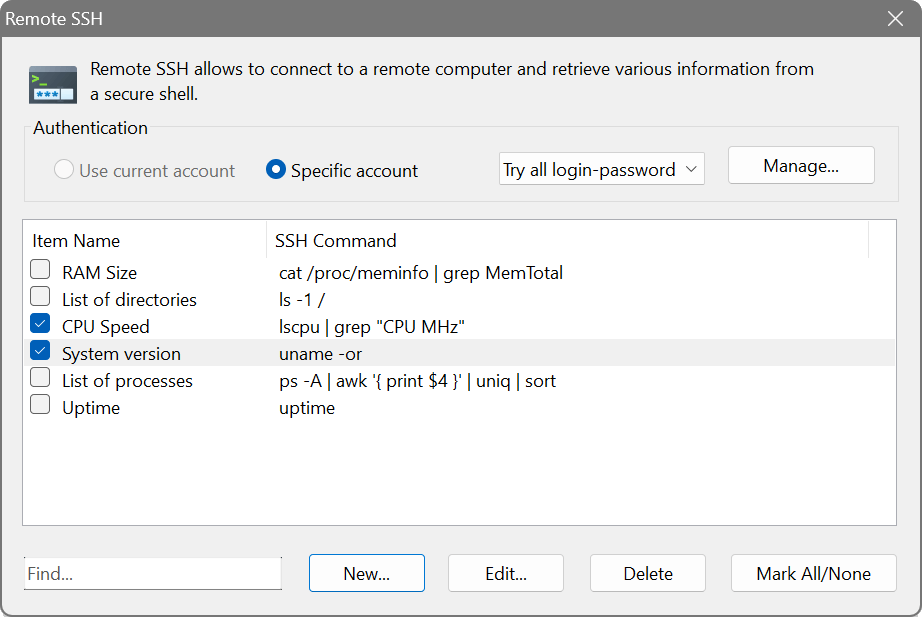
The dialog shows two columns: Item Name and SSH Command. When creating or editing an entry, you can write the command in a syntax-highlighted editor and click Run to test it against a specific host.
Authentication
Two authentication methods are supported:
- Password authentication
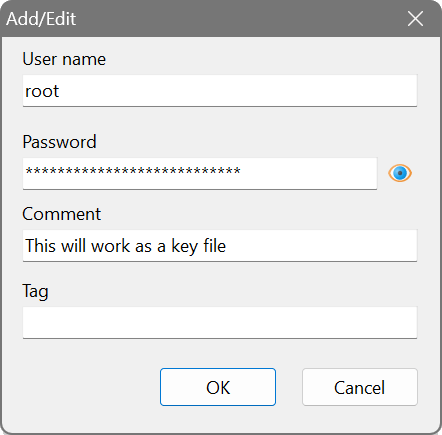
- Enter a username and password in the authentication section. Credentials can be managed centrally via the Credential Manager.
- Public key authentication
- Instead of a password, specify the full path to a private key file. The application detects that the password field contains a file path and switches to key-based authentication automatically.
Connection details
The SSH connection uses the port and timeout configured in the scan options. Both IPv4 and IPv6 targets are supported. ANSI escape codes in the command output are automatically stripped so the result is clean text.
Each SSH query item runs a single command. To gather multiple pieces of information, create separate items for each command.
Command examples
- uname -or
- Operating system name and release.
- uptime
- System uptime and load average.
- cat /proc/meminfo | grep MemTotal
- Total installed RAM on a Linux device.
- lscpu | grep "CPU MHz"
- Current CPU clock speed.
- ps -A | awk ’{ print $4 }’ | uniq | sort
- List of running processes.
Create an SSH query with the command df -h / | awk ’NR==2 {print $5}’ to retrieve the root partition usage as a percentage. After scanning, you can immediately see which servers are running low on disk space.