DHCP server discovery
This tool searches for active DHCP servers on the local network segment. It broadcasts a DHCP discovery message and collects replies from all servers that respond. This can reveal both legitimate servers and rogue servers that are not under administrative control, which may disrupt connectivity or facilitate attacks.
To use it, choose Actions → DHCP Server Discovery from the menu or click the toolbar button  . In a few moments you will see a list of all responding servers.
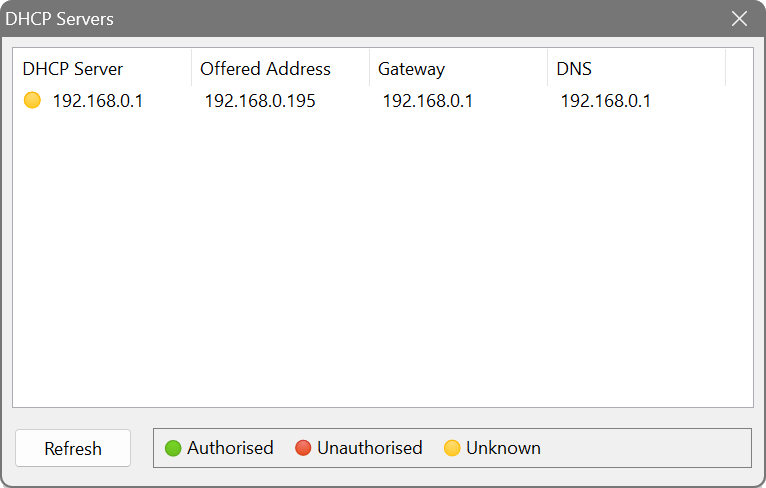
The results display four columns: DHCP Server, Offered Address, Gateway and DNS. Click Refresh to repeat the discovery. Select a server and click Properties to see additional DHCP options returned by that server. You can also fetch custom option values by entering their codes (e.g. 160, 66, 67).
If users on a network segment are reporting connectivity issues such as incorrect gateways or DNS servers, run the DHCP Server Discovery. If more than one server appears and one of them is not your authorised DHCP server, it is a rogue server. Note the IP address and take it offline to restore proper network operation.