Remote Scripting
The scanner can execute custom VBScript or JScript against remote devices using the Windows Script Host. Choose Options → Remote Scripting from the menu.
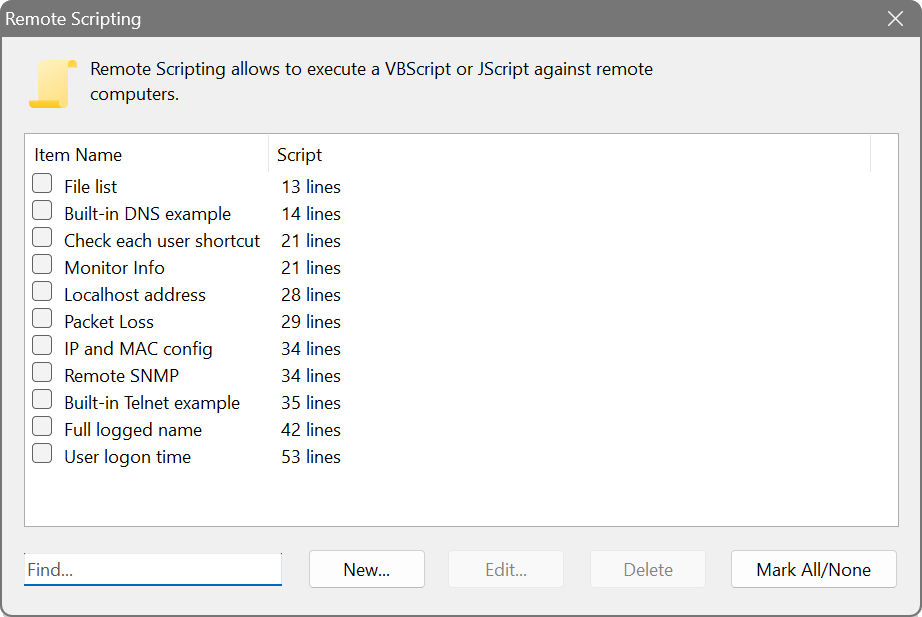
The dialog shows two columns: Item Name and Script. Most existing VBScript or JScript code will work with two modifications: replace WScript.Echo with Output.Write to return data, and obtain the current IP address from Input.Current. Use Input.Column("column name") to refer to the value of any other column.
There is a built-in script editor with syntax highlighting and function templates:
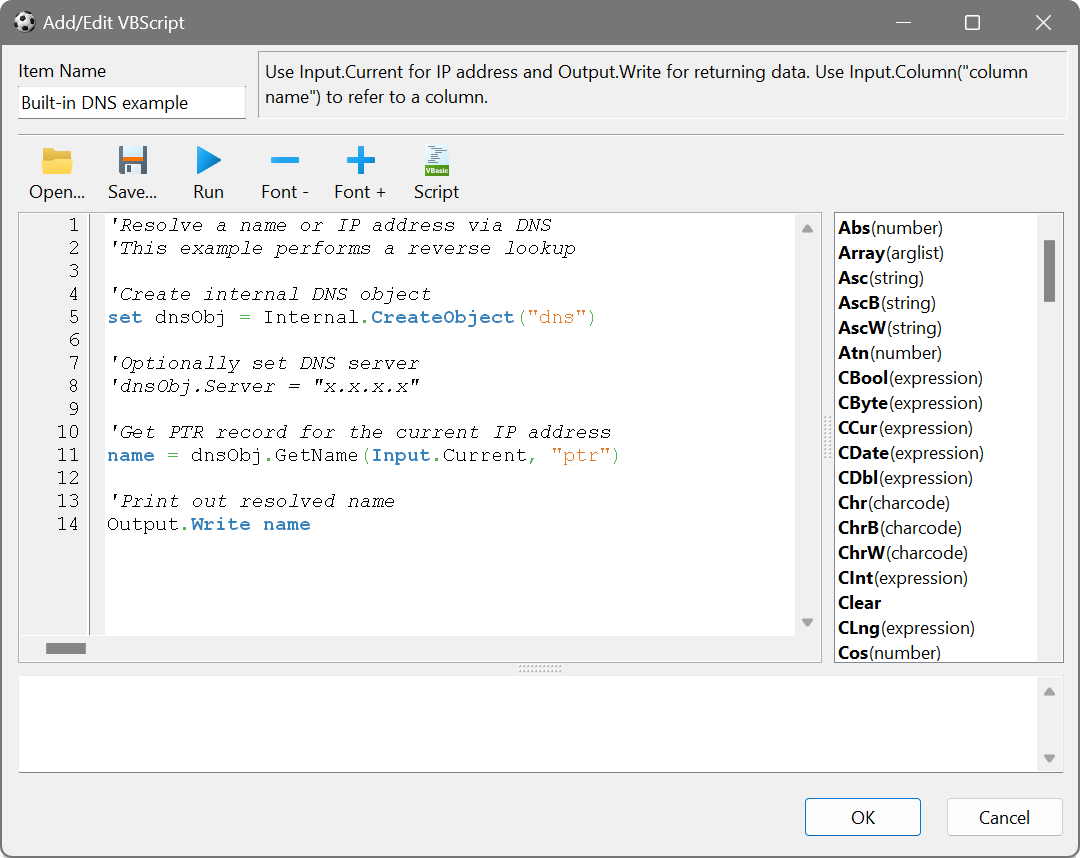
In addition to regular automation objects created with CreateObject(), you can call Internal.CreateObject() to create built-in Process, DNS and SNMP objects. There is also a Remote namespace for invoking other scan items from within a script. See the scripting reference for full documentation and examples.
Use scripting when you need to combine results from multiple scan items, apply conditional logic, or produce a single summary column from several data sources. A script can read values from other columns with Input.Column(), invoke additional queries via the Remote namespace, and return a consolidated result that would otherwise require checking multiple columns manually.
VBScript vs Python
The Network Scanner also supports Python scripting as an alternative. Both languages support the Remote namespace for invoking other scan items from within a script. VBScript is the better choice when you need the built-in Internal.CreateObject() objects (Process, DNS, SNMP), when working with COM objects and WMI, or when you want to avoid installing additional software, since VBScript is built into Windows.
Python is the better choice when you need access to its extensive standard library or third-party packages (e.g. for parsing complex data formats, making API calls, or performing calculations), or if you are more familiar with Python syntax. See Remote Python for details.