Remote SNMP
SNMP (Simple Network Management Protocol) is widely supported by routers, switches, printers, UPS devices and many other network equipment. Choose Options → Remote SNMP from the menu.
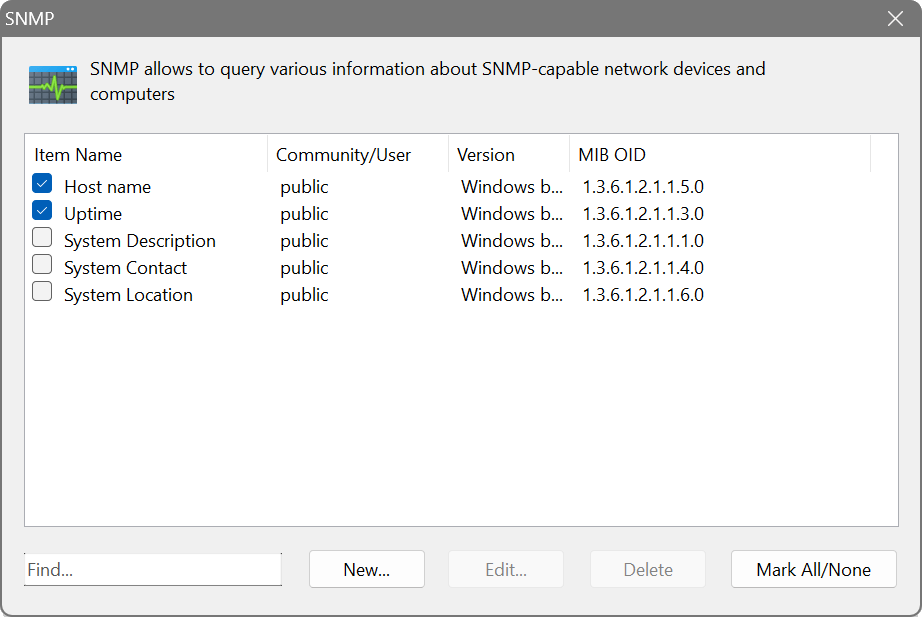
The dialog shows four columns: Item Name, Community/User, Version and MIB OID. When creating a new entry, select the SNMP version:
- SNMPv1, SNMPv2c: community-based authentication. Enter one or more community strings separated by commas.
- SNMPv3: secure authentication with username, auth password and privacy password.
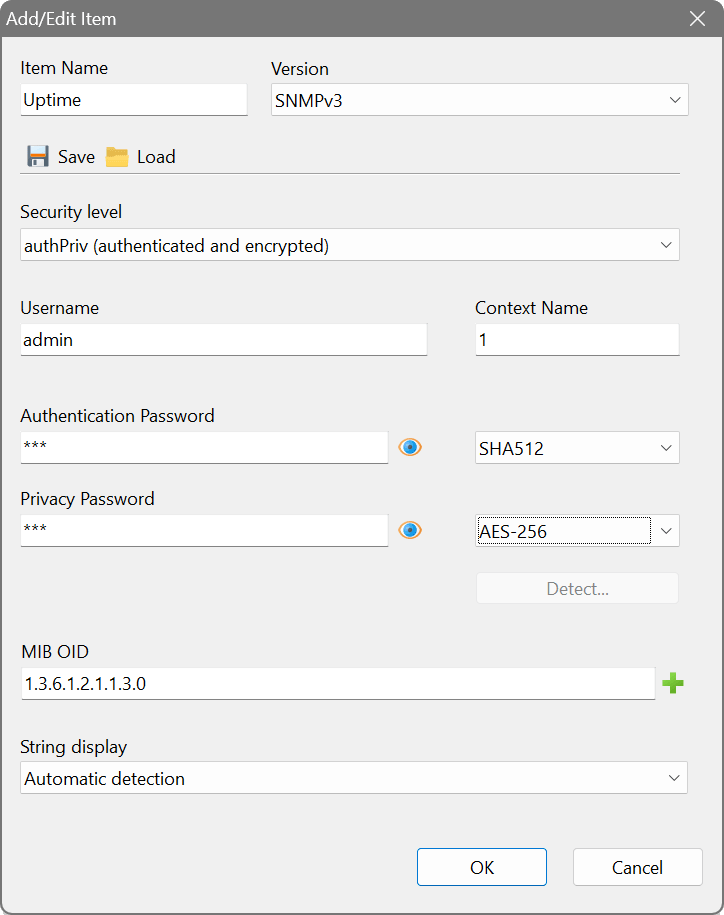
SNMPv3 supports MD5 and SHA-1 through SHA-512 authentication, and DES and AES encryption including the AES-192-B and AES-256-B key-extension variants. If you are unsure what a device uses, click Detect to have the correct algorithms determined automatically. Frequently used credentials can be saved with the Save / Load buttons and reused across entries.
The string display mode can be set to Automatic detection, ASCII or HEX.
There is a built-in MIB browser for easy selection of OIDs. The browser searches a comprehensive MIB database as you type a name or an OID, and shows a symbolic path for the selected OID.
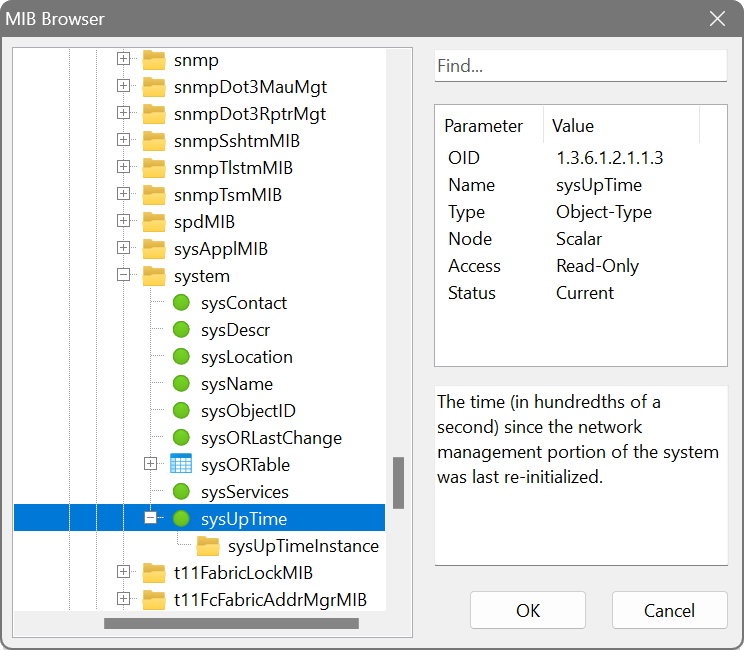
OIDs may contain the variable parts %0 and %1. The former is replaced with the octets of the scanned IP address, and the latter with the octets of the scanned MAC address. For example, the OID 1.3.6.1.2.1.4.20.1.3.%0 can be used to extract a device’s network mask.
Most network printers expose toner levels via SNMP. Create an SNMP query with the OID for the toner level (commonly under 1.3.6.1.2.1.43.11.1.1.9) using SNMPv2c with community public. After scanning, the column will show the remaining toner on each printer.