Remote XML and JSON
These features send HTTP requests to devices and parse their responses. They work with any device that has a built-in web server producing text output. Authentication options include No authentication and Basic authentication.
Remote XML
Choose Options → Remote XML from the menu.
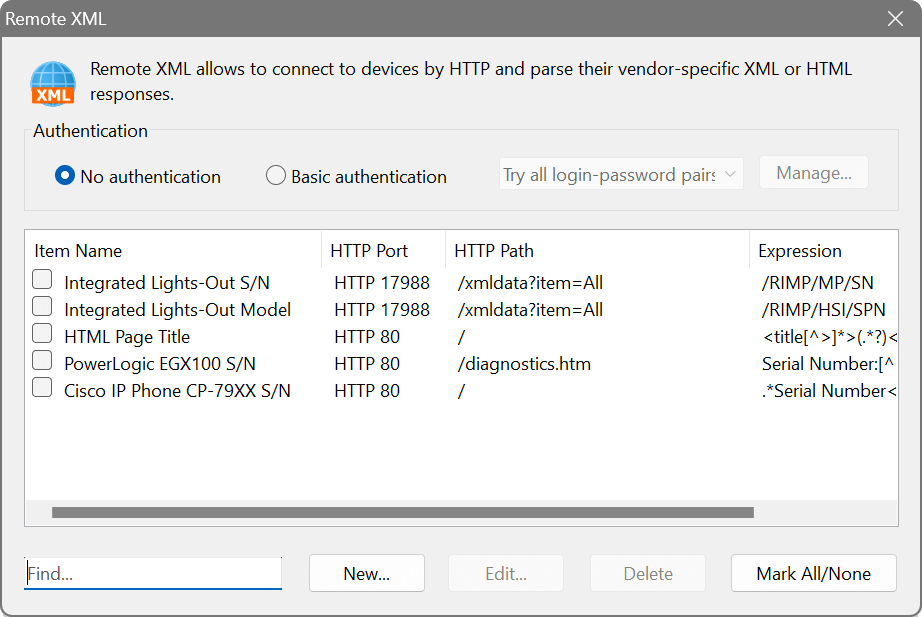
The dialog shows four columns: Item Name, HTTP Port, HTTP Path and Expression. Data can be extracted using:
- XPath (valid XML documents): for well-formed XML responses.
- Regex (invalid or non-XML documents): for HTML pages or any text output.
HP servers with Integrated Lights-Out expose system health data as XML. Configure a Remote XML query pointing to the iLO HTTP path and use an XPath expression to extract the health status. The predefined entries included with the scanner demonstrate this.
Remote JSON
Choose Options → Remote JSON from the menu.
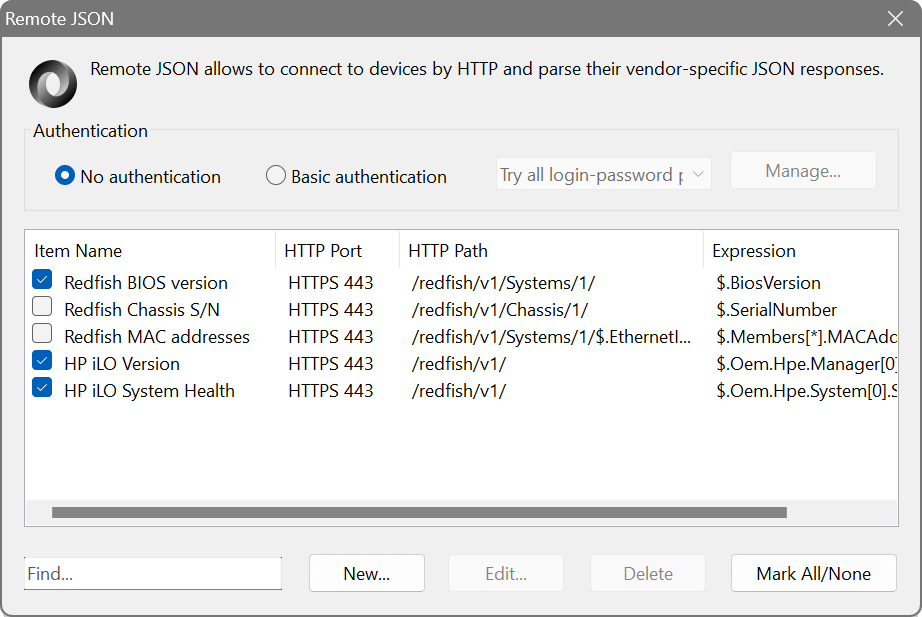
The dialog shows four columns: Item Name, HTTP Port, HTTP Path and Expression. Data is extracted using JSONPath (XPath for JSON). Two query builders are available:
- JSON Query Builder: fetches a sample JSON response from a device and lets you visually select which data to extract.
- Redfish Query Builder: specifically for the Redfish Scalable Platforms Management API, which is implemented in a wide range of servers.
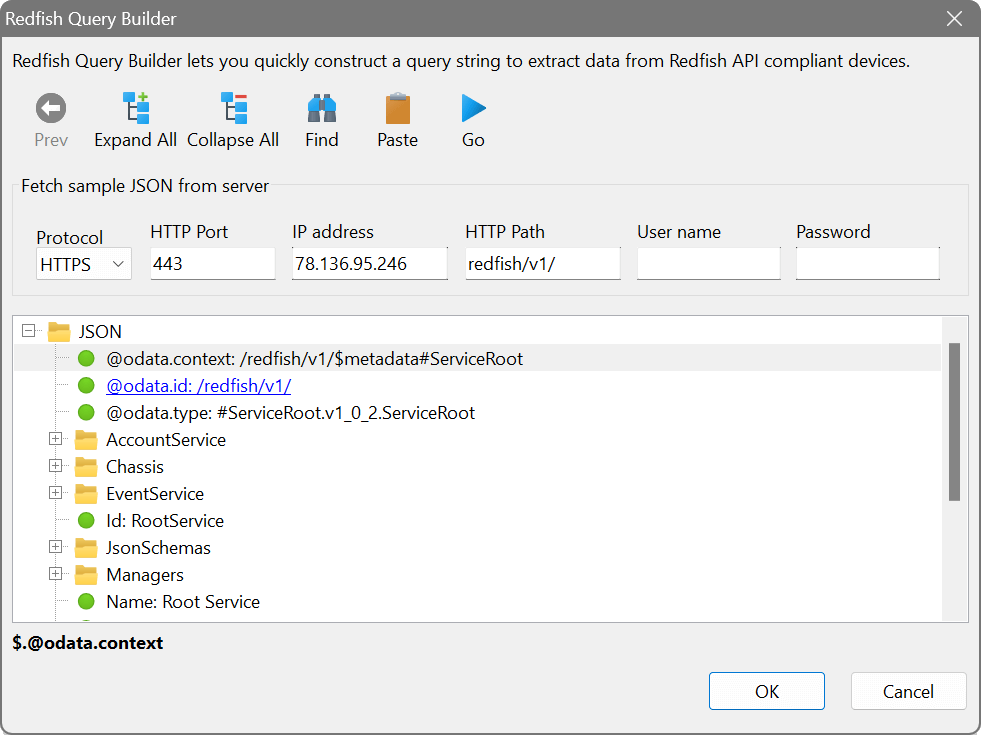
Modern servers from Dell, HP, Lenovo and others support the Redfish API for out-of-band management. Use the Redfish Query Builder to browse available endpoints and extract data such as CPU model, memory capacity, fan speeds or power consumption. This works even when the operating system is not running.