Remote Groups
This feature retrieves local and global group membership from remote Windows devices. Choose Options → Remote Groups from the menu.
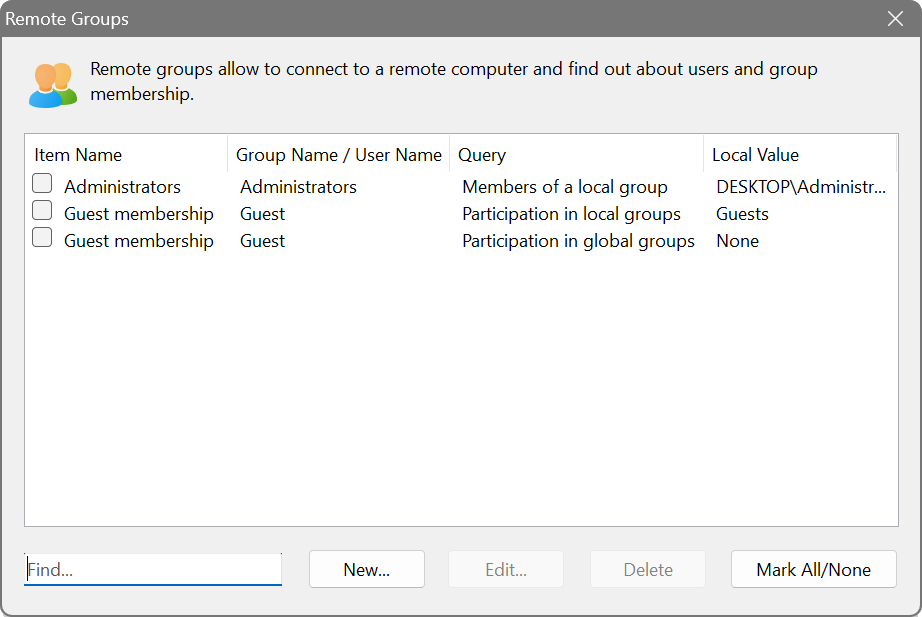
The dialog shows four columns: Item Name, Group Name / User Name, Query and Local Value.
Query types
Four query types are available, each answering a different question:
- Members of a local group
- Lists all users and computers that belong to the specified local group. For example, querying the Administrators group returns everyone with local admin rights.
- Members of a global group
- Lists all users that belong to the specified domain (global) group.
- Participation in local groups
- The reverse of the first query: given a user or computer name, lists all local groups it belongs to. This is useful for checking what privileges a specific account has been granted.
- Participation in global groups
- The reverse of the second query: given a user name, lists all domain groups it belongs to.
Click the browse button (…) next to the Group Name / User Name field to see a list of available groups or users on your local machine.
Additional options
- Strip domain names from output
- Removes the DOMAIN\ prefix from account names, showing only the short name. This makes the output cleaner when all accounts belong to the same domain.
- Disregard specific account names (wildcards allowed)
- Excludes accounts matching the specified patterns from the results. Enter one pattern per line in the text field below; wildcard characters * and ? are supported. For example, NT AUTHORITY\* hides all built-in system accounts.
auditing local administrator membership
Create a query for Members of a local group with the group name Administrators. After scanning, the results will show who has local admin rights on each device, which is essential for security audits and compliance checks.